In short
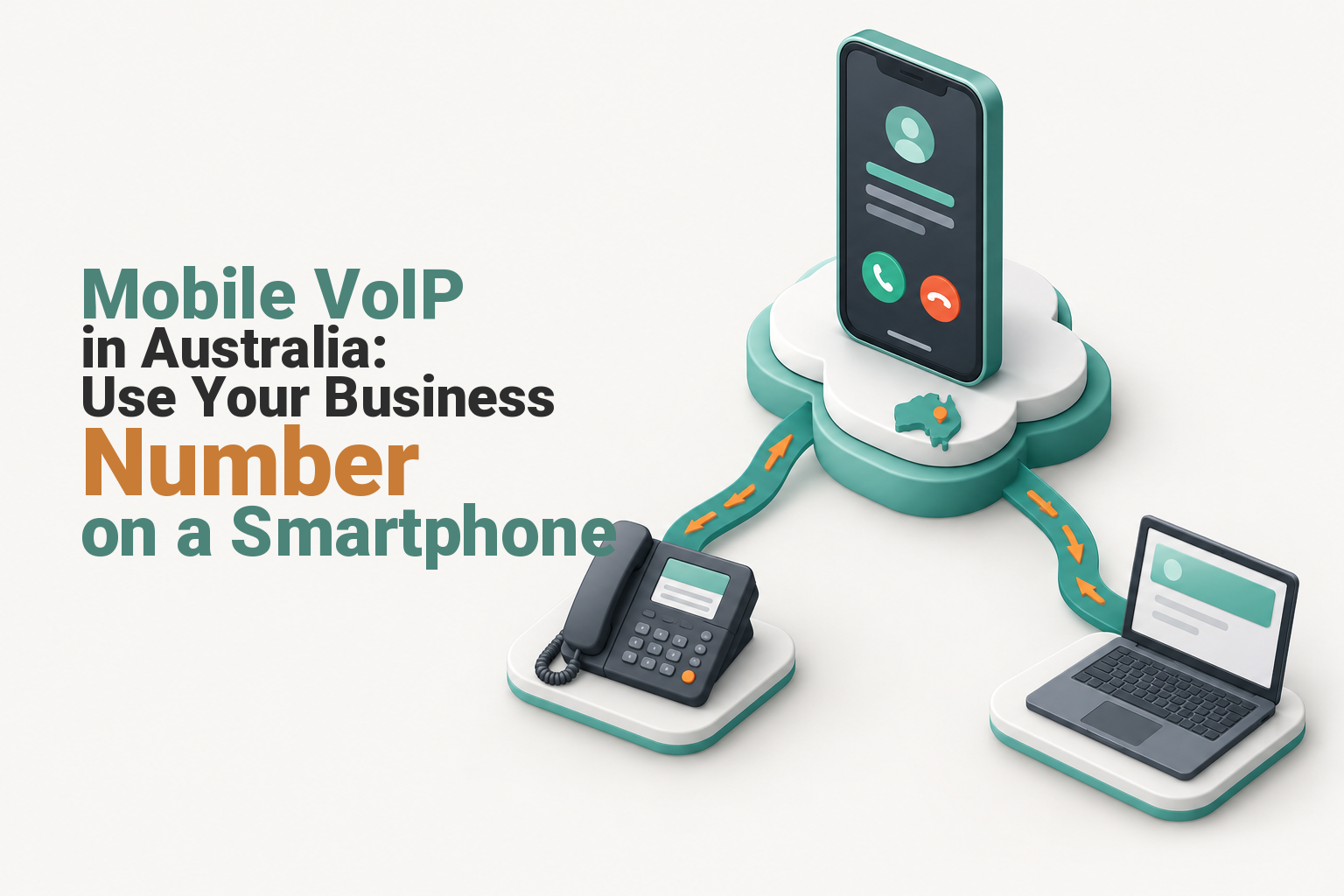
Mobile VoIP in Australia lets staff make and receive business calls on a smartphone through Wi-Fi or mobile data. A compatible softphone connects the phone to the business PBX, so approved users can answer company numbers and present a business caller ID, provided the VoIP service supports those features.
Key takeaways
- A smartphone needs a provider-supported softphone and a usable Wi-Fi or mobile data connection to operate as a VoIP extension.
- Inbound call routing and outbound business caller ID are separate settings that the VoIP provider must configure.
- Simultaneous ringing, voicemail and failover routing can keep calls moving when a mobile app is offline.
- Mobile data use varies by codec, with the worked payload examples below ranging from 7.2 MB to 57.6 MB per hour before network overhead.
- Mobile VoIP policies should cover device security, public Wi-Fi, roaming and how staff contact Triple Zero.
Contents
- Can I use my mobile as a VoIP phone?
- How do I keep my business number and handle missed calls?
- How do I set up mobile VoIP for remote staff?
- How much mobile data does a VoIP call use?
- What affects call quality away from the office?
- Is mobile VoIP secure enough for business calls?
- What should I check before choosing mobile VoIP in Australia?
- Frequently asked questions
- How do you move your business number onto staff mobiles?
A mobile VoIP service separates the business phone identity from the physical handset and SIM. The smartphone becomes one endpoint in the phone system, alongside desk phones, computers, voicemail and other staff devices.
Can I use my mobile as a VoIP phone?
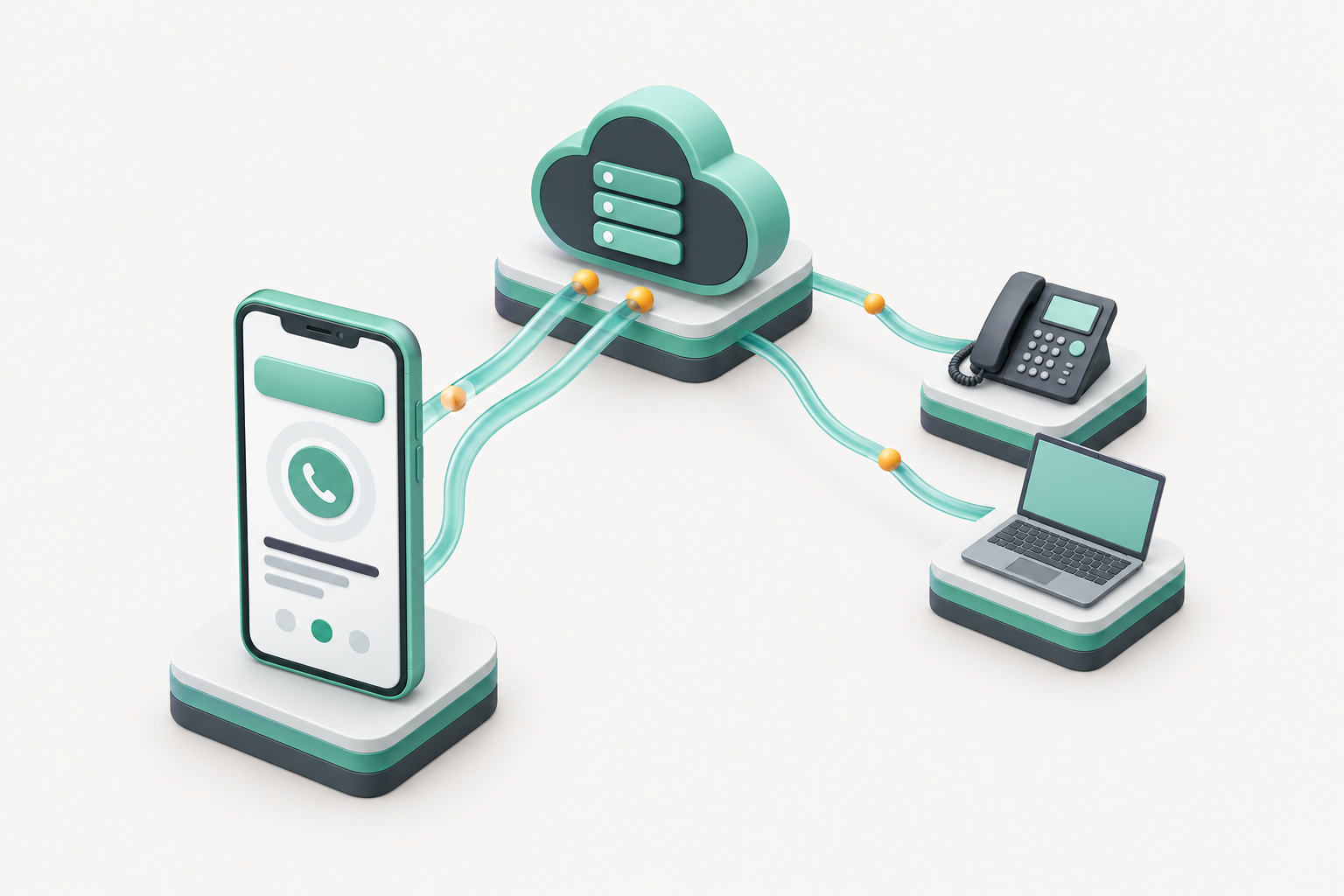
Yes. A smartphone can act as a VoIP extension when the provider supports a compatible softphone and the phone has usable Wi-Fi or mobile data. The employee then calls through the business phone system rather than exposing a personal mobile number.
The softphone signs in as an extension or user. Incoming calls can ring the smartphone, while outgoing calls pass through the provider so the approved business caller ID can be presented.
This differs from simple call forwarding. Forwarding sends an incoming call to a normal mobile number, while a registered softphone can also support extension dialling, transfers, call history and other PBX functions, depending on the service.
A smartphone becomes a business extension only when the VoIP provider supports it and the data connection is usable.

Performance you can feel, backed by clients who depend on it. Read how our support and uptime create long‑term customer success.Power Your Business with Better Hosting
How do I keep my business number and handle missed calls?
Keeping a business number requires two settings: inbound routing and outbound calling line identification. The same smartphone can use both, but the provider must configure each function correctly.
As of November 2026, ACMA's calling line identification guidance says CLI overstamping is legal in Australia and advises businesses to arrange it with their telco. ACMA also states that 13, 1300 and 1800 numbers cannot be used for CLI overstamping. (acma.gov.au)
Inbound calls can be sent to one mobile user, a ring group, a queue or several endpoints at once. These rules normally live in a cloud PBX. A virtual office phone system applies the same approach when staff work without a shared office.
Plan a fallback for times when the app is signed out, suspended by the phone or disconnected from data. Useful destinations include another staff member, a desk phone, voicemail or an external mobile number. Ask how diverted calls are charged and recorded in reports.
Treat caller ID, inbound routing and offline failover as three separate settings.
How do I set up mobile VoIP for remote staff?
Set up each employee as an individual VoIP user rather than sharing one general login. The complete call path should be tested before the smartphone becomes a primary business phone.
- Confirm mobile support. Ask which softphone, operating systems and app versions the provider supports.
- Create the user. Give the employee an individual extension, permissions and credentials so access can be removed without affecting other staff.
- Install the approved app. Use the provider's instructions and an official app store rather than an unverified download.
- Configure the call flow. Assign incoming numbers, business caller ID, ring groups, voicemail, business hours and failover destinations.
- Test realistic conditions. Make inbound and outbound calls over office Wi-Fi, home Wi-Fi and mobile data. Also test voicemail, transfers, background ringing and what happens when the app is offline.
Document the setup in the staff member's onboarding and offboarding process. A departing employee's VoIP access should be disabled at the same time as email, remote access and other business accounts.
Give every staff member an individual account, then test the full call path before relying on it.
Host your website with our 5-star rated, cPanel website hosting plans.
Super fast servers, with security included and hosted in your choice of Australian Data Center.
View cPanel Plans
How much mobile data does a VoIP call use?
There is no single data figure for every mobile VoIP call. The codec, network overhead, silence suppression and call duration all affect the amount transferred.
IETF RFC 3551 specifies G.729 at 8 kbit/s and defines G.711 PCMA and PCMU as 8-bit samples at 8,000 samples per second, equivalent to 64 kbit/s. Calculated from those rates, an hour of continuous two-way voice payload is about 7.2 MB with G.729 or 57.6 MB with G.711, before RTP, UDP and IP overhead. (rfc-editor.org)
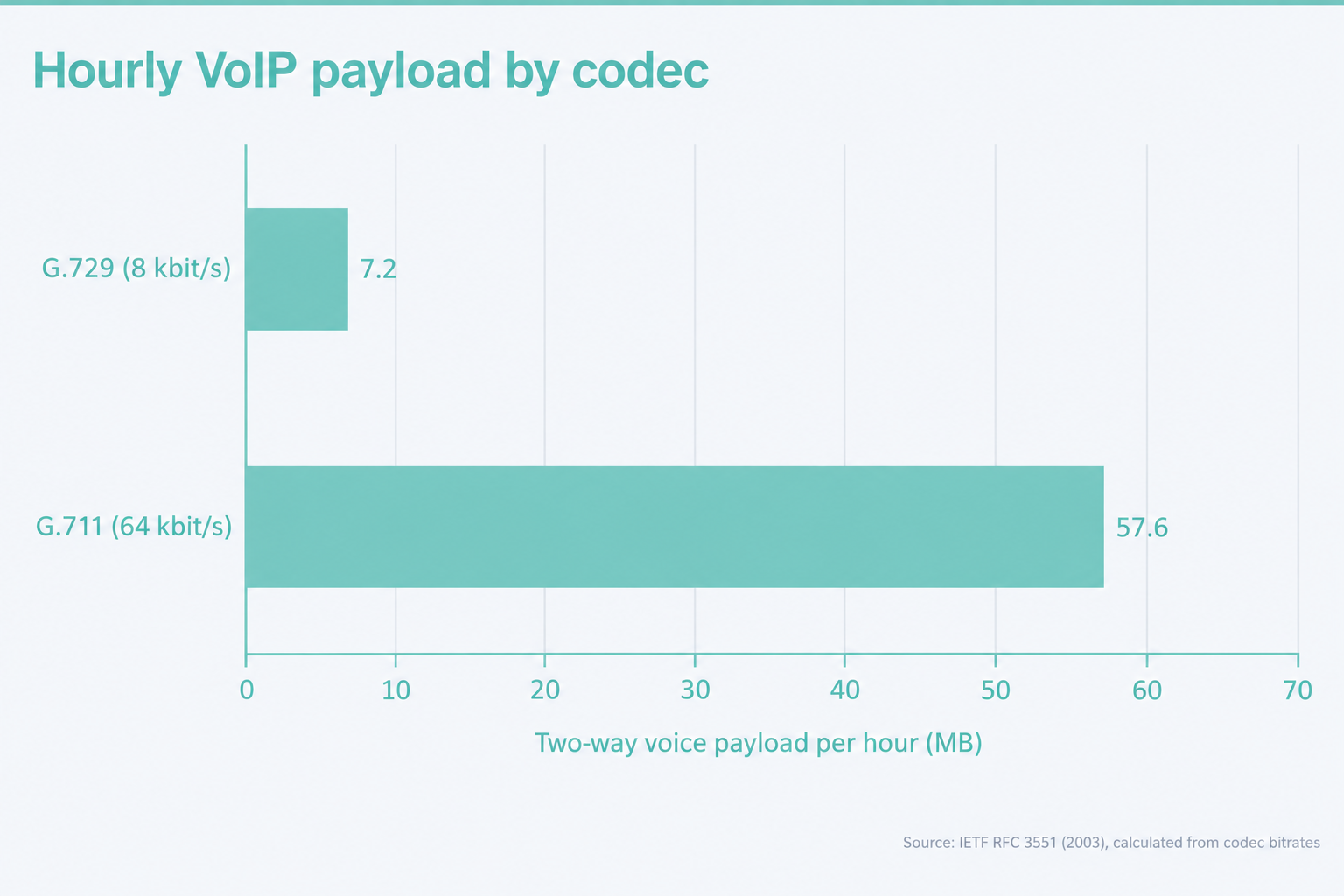
Actual app use can be higher or lower than these continuous-audio examples because providers may use different codecs, packet sizes and silence handling. Check the smartphone's data statistics after a representative test call instead of budgeting from an advertised estimate alone.
When travelling overseas, the VoIP app uses the active internet connection. Mobile data may attract roaming charges, while hotel or public Wi-Fi may have inconsistent quality or access restrictions.
Mobile VoIP data use depends mainly on the codec, network overhead and how long both sides transmit.
What affects call quality away from the office?
Call quality depends on the connection staying stable in both directions for the duration of the call. A strong speed-test result does not guarantee good voice if the connection has congestion, delay variation or brief drop-outs.
Check these conditions during testing:
- Make calls from the places where staff actually work, including home offices and client sites.
- Compare trusted Wi-Fi with 4G or 5G rather than assuming one is always better.
- Test the phone microphone and the headset staff will use during longer calls.
- Confirm that background data, notifications and microphone access are enabled for the softphone.
- Watch for interruptions when the phone changes between Wi-Fi and mobile data.
If one employee has repeated problems, compare the same account on another device and network. That helps separate an app or handset problem from a provider or connection problem.
Test mobile VoIP where staff actually work, not only beside the office router.
Is mobile VoIP secure enough for business calls?
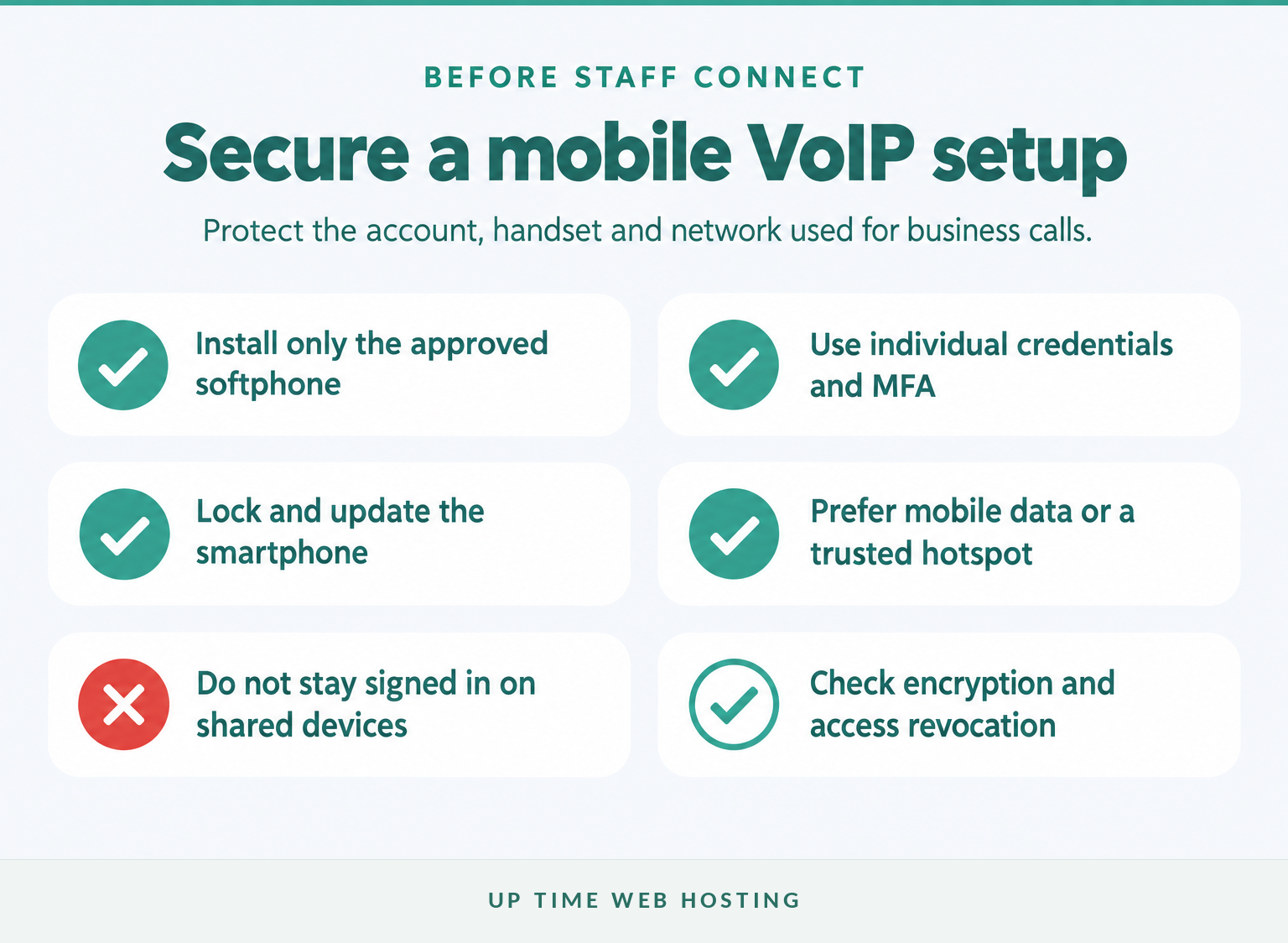
It can be secure enough when the provider, account, handset and connection are all protected. Encryption alone does not protect a weak password, an unlocked phone or an account left active after a device is lost.
The Australian Signals Directorate's ACSC guidance for secure online activity, updated in October 2026, recommends MFA, current software and trusted networks. It advises using mobile data or a personal hotspot where possible instead of public Wi-Fi. (cyber.gov.au)
Apply these controls:
- Install only the provider-approved softphone.
- Use individual credentials and MFA where available.
- Require a screen lock, biometrics and automatic device locking.
- Keep the operating system and softphone updated.
- Prefer mobile data, a trusted hotspot or an approved VPN over open public Wi-Fi.
- Remove the VoIP account promptly if a phone is lost, replaced or reassigned.
Ask the provider whether signalling and voice media are encrypted, whether the administration portal supports MFA and how an administrator revokes a mobile user's access.
Secure mobile VoIP by protecting the account, the handset and the network connection together.
Register your new domain name at competitive market prices including free domain add-ons like privacy, DNS Hosting, Custom Nameservers and Forwarding.
Always the best price and no nasty renewal price hikes.
Register A Domain Name
What should I check before choosing mobile VoIP in Australia?
Check the complete operating model rather than choosing an app from a feature list. The cheapest service is poor value if calls do not ring reliably, the required business number cannot be displayed or support cannot diagnose a mobile registration problem.
As of November 2026, ACMA's emergency-call guidance says Triple Zero can be called from certain VoIP services, not every VoIP service. ACMA also says an operator will ask for the caller's town and state when the call comes from a mobile or VoIP service. (acma.gov.au)
Ask the provider how its mobile service handles 000, and give staff a documented fallback using the smartphone's native mobile dialler. Keep the service address current and make sure travelling staff know that their physical location may differ from the account address.
Can mobile VoIP replace a desk phone?
Mobile VoIP can replace a desk phone for staff who work individually and move between locations. Reception desks, shared work areas and high-call-volume roles may still benefit from physical VoIP telephones in Australia or a combined setup.
| Use case | Likely fit | Reason |
|---|---|---|
| Mobile or field employee | Smartphone softphone | The business extension travels with the user. |
| Reception or shared queue | Desk phone or computer | A fixed endpoint is easier to share and keep available. |
| Hybrid employee | Smartphone and desk phone | Simultaneous ringing gives the user more than one way to answer. |
Before choosing a service, confirm:
- supported iOS and Android versions
- incoming business number options and number porting
- approved outbound caller ID
- background ringing and push notifications
- simultaneous ringing, voicemail and offline failover
- security, encryption and account revocation controls
- Triple Zero handling and service-address requirements
- mobile data, overseas use and roaming considerations
- Australian support hours and escalation procedures
- user fees, number fees, call charges and contract terms
Use a structured checklist to compare VoIP companies in Australia before moving an established number or deploying the service to every employee.
Choose the operating model first, then compare providers and hardware against it.
Frequently asked questions
These answers address the questions Australian searchers commonly ask about mobile VoIP. Provider features and terms should still be checked before purchase or number porting.
Which VoIP provider is the best in Australia?
The best Australian VoIP provider is the one that supports your required numbers, mobile operating systems, call routing, security, emergency-call process and support model at a sustainable price. Test the service on the actual Wi-Fi and mobile networks your staff use before porting a critical business number.
Can I use my mobile as a VoIP phone?
Yes. A provider-supported softphone can register your smartphone as an extension of the business phone system. The phone still needs reliable Wi-Fi or mobile data, and the provider must configure the user, incoming-call routing and outbound caller ID. Test background ringing before relying on it.
What is a disadvantage of using VoIP?
The main disadvantage is dependence on data connectivity and correct app behaviour. Congested Wi-Fi, weak mobile coverage, battery restrictions or an expired login can stop calls reaching the handset. A business setup should therefore include monitoring, voicemail and a failover destination rather than treating one app as the only endpoint.
Is there a free VoIP number available in Australia?
Free apps and trials exist, but a free app is not necessarily a free Australian business number. A useful number may involve number rental, call charges, porting fees or limits on inbound and outbound use. Check ownership, portability, emergency calling and caller ID before relying on any free offer.
The right answer depends on verified provider features, not the word mobile in a plan name.
Experience Microsoft 365 Business Standard for free for 30 days.
Up to 25 users with full access to email, OneDrive and Teams. Includes full versions of desktop apps of Outlook, Word, Excel, PowerPoint and more.
Try Microsoft 365
How do you move your business number onto staff mobiles?
Start with a list of users, numbers, devices, call flows and fallback destinations. As of November 2026, UpTime's VoIP Telephony service publishes support for smartphone softphones, virtual mobile numbers, simultaneous ringing and SRTP secure voice within its network. (uptimewebhosting.com.au)
Before rollout, ask UpTime to confirm the current mobile app, supported operating systems, background-call behaviour, emergency calling and caller ID configuration for each user.
Confirm the app and routing details with UpTime before rolling the setup out to staff.