In short
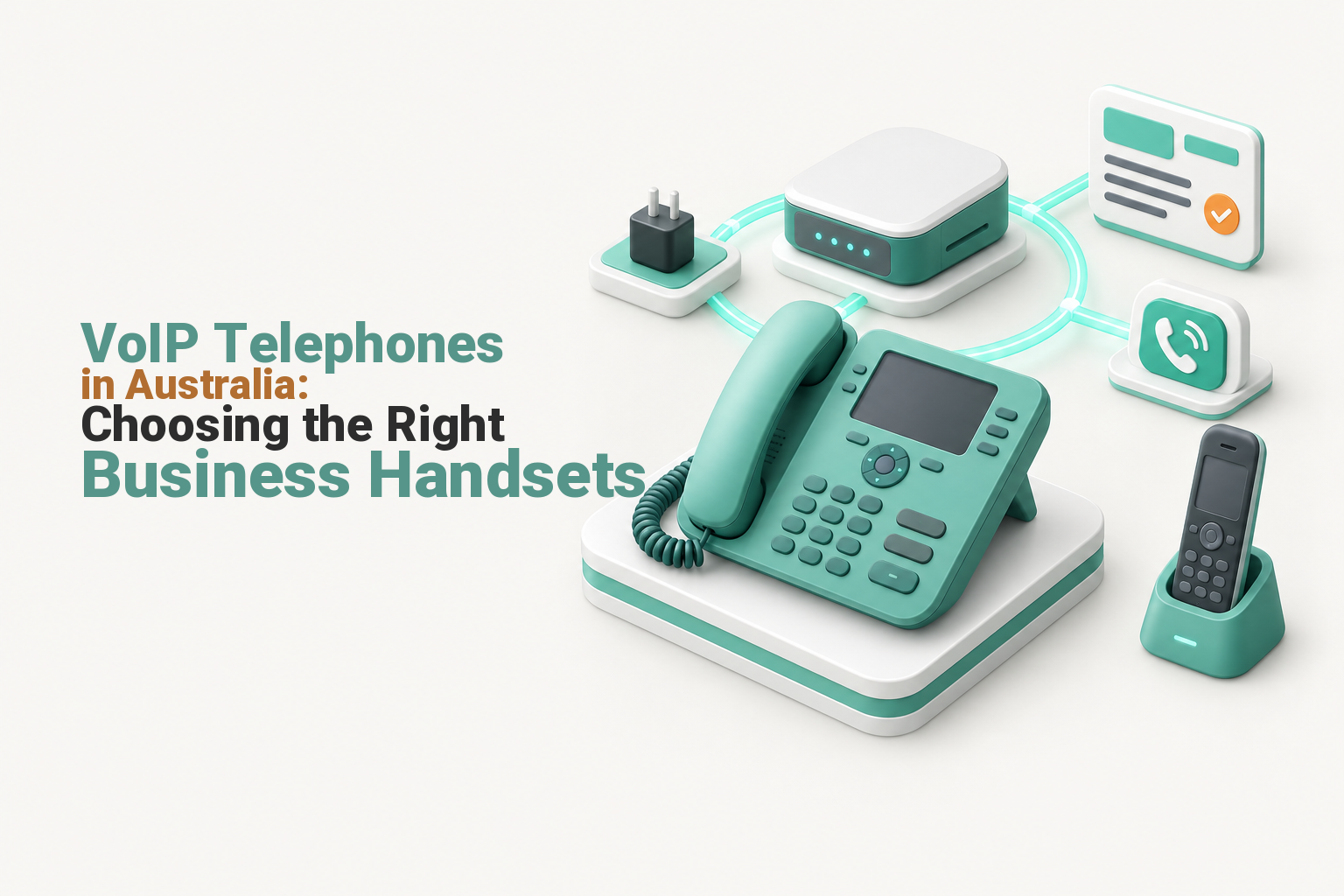
A VoIP telephone will work with an Australian business phone service only when the service supports that endpoint’s registration method, firmware, codecs and provisioning. For most open business handsets, that means confirmed SIP compatibility. Choose the service first, then buy desk phones, cordless handsets, conference phones or softphones that match each user’s job.
Key takeaways
- SIP-compatible is not the same as provider-supported, so confirm the exact model and firmware before purchasing.
- A SIP trunk usually connects a PBX or gateway, while an individual handset needs an endpoint registration or supported application.
- Power over Ethernet removes a local power pack only when the switch, cabling and phone support the required PoE standard.
- A pilot handset should be tested with real transfers, queues, headsets, voicemail and network conditions before a fleet is ordered.
- VoIP continuity depends on the handset, local power, network equipment, internet service and provider platform remaining available.
Contents
- Which VoIP telephone will work with an Australian business phone service?
- Which type of VoIP telephone suits each job?
- What should you check before buying a desk phone?
- Should you choose cordless handsets, conference phones or softphones?
- How do power and network connections affect the phone choice?
- How do provisioning and support change the real cost?
- How many line keys, accounts and call features do you need?
- What should you test before buying the full fleet?
- What happens during a power or internet outage?
- What else do Australian businesses ask about VoIP telephones?
- What should you do next?
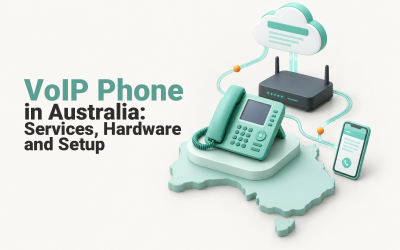
A business telephone is only one endpoint in a larger calling system. The service controls registration, extensions, business numbers and call routing, while the handset controls how a person answers, transfers and manages those calls. Buying the phones before confirming the service reverses the safest order.
Which VoIP telephone will work with an Australian business phone service?
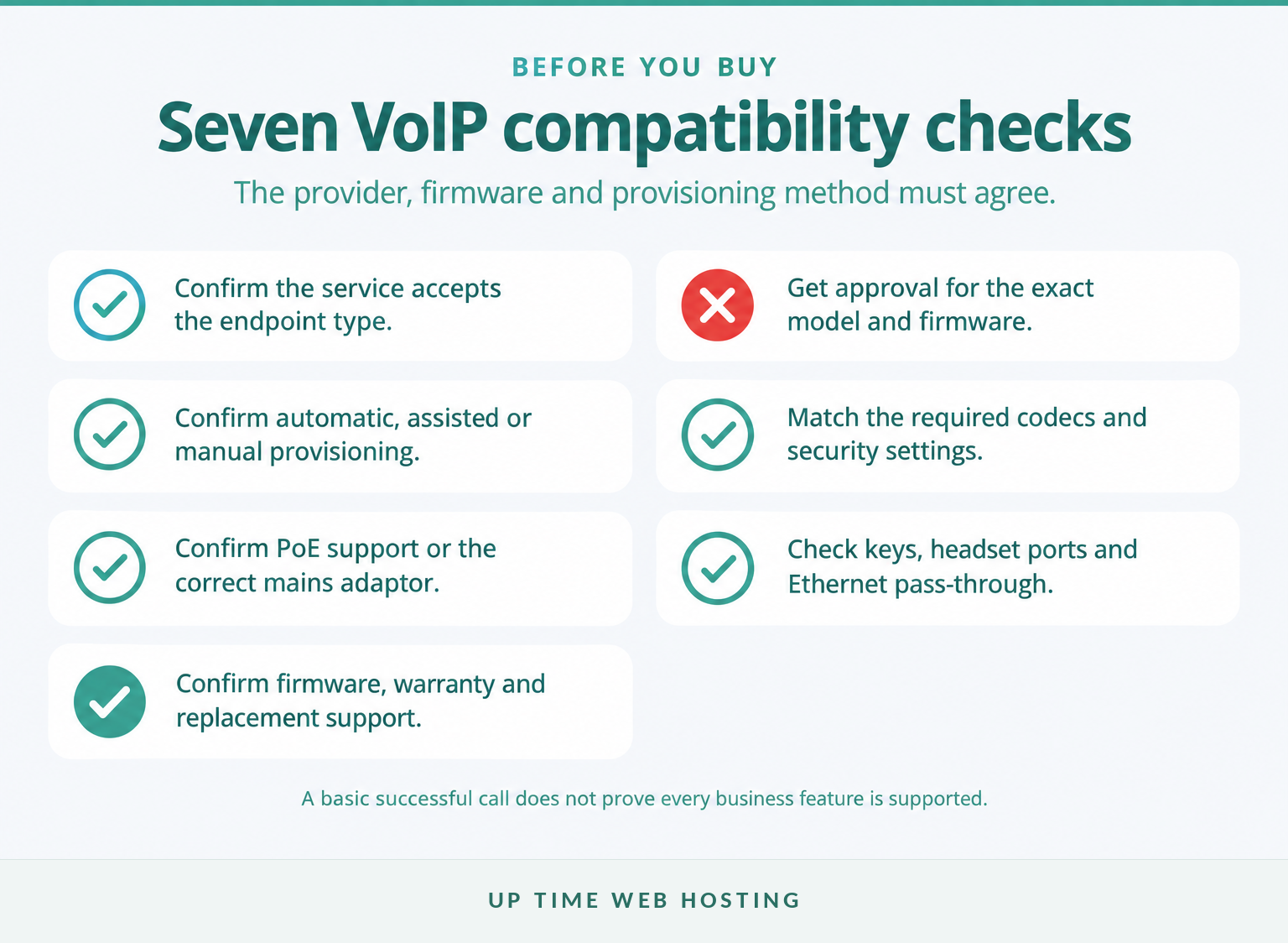
The safest choice is a telephone that the service provider has tested and agrees to support. A generic SIP label is useful, but it does not confirm that provisioning, firmware updates, security settings and advanced call features will work correctly.
The Internet Engineering Task Force’s RFC 3261 defines SIP as a signalling protocol for creating, changing and ending communication sessions. The standard also explains that media details are negotiated separately, which is one reason two devices can both support SIP without supporting every service feature in the same way.
Start by identifying what the service expects the device to be:
- An individual endpoint registration gives a telephone or application its own extension or user account.
- A provider-managed application may hide the SIP settings and use an account login instead.
- A SIP trunk normally connects a PBX, gateway or other call-control system. It is not automatically a login for an individual desk phone.
If the business is still choosing between a single calling service and a complete hosted system, clarify the role of a cloud PBX in Australia before comparing handsets.
Ask the prospective provider these questions for every proposed model:
- Is the exact model supported, or merely expected to register?
- Which firmware version should it run?
- Can the provider provision it automatically or remotely?
- Are SIP credentials supplied for manual setup if required?
- Which codecs, secure signalling options and network settings are required?
- Will busy-lamp fields, call parking, shared directories and voicemail indicators work?
- Who handles firmware faults, resets, warranty claims and replacements?
A phone that can make a basic call may still be a poor business choice if transfers, presence keys or remote support fail. Written confirmation is more useful than a retailer’s broad compatibility claim.
The provider’s support list is more important than a generic SIP-compatible label.

Performance you can feel, backed by clients who depend on it. Read how our support and uptime create long‑term customer success.Power Your Business with Better Hosting
Which type of VoIP telephone suits each job?
Choose the endpoint by where the user works, how often the user handles calls and which controls must be available immediately. Most businesses need a mix rather than one telephone model for every person and room.
| Endpoint type | Best fit | Main strengths | Check before buying |
|---|---|---|---|
| Wired desk IP phone | Reception, fixed desks and frequent callers | Dedicated controls, speakerphone, stable Ethernet and visible call status | Supported firmware, key count, headset connection, PoE and Gigabit Ethernet |
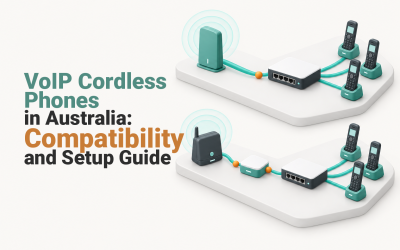
| DECT or other cordless handset | Warehouses, clinics, workshops and staff moving around a site | Mobility, dedicated handset and a shared base-station system | Coverage, base capacity, simultaneous calls, roaming and battery replacement |
| Conference phone | Meeting rooms and group calls | Room microphones, speaker output and echo management | Room size, microphone coverage, expansion options, SIP or USB mode and power |
| Softphone with headset | Remote staff, hot desks and occasional callers | Uses an existing computer or mobile, travels easily and needs no desk unit | Supported application, operating system, headset, notifications and emergency-call policy |
Choose the endpoint by the work being done, not by which device has the longest feature list.
A receptionist may need many visible presence keys and a wired headset. A warehouse supervisor may need a cordless unit with replaceable batteries. A remote employee may work well with a softphone and USB headset, while a shared meeting room needs microphones designed for several voices rather than one person sitting close to a handset.
Do not assume the most expensive telephone is the best general standard. A premium touchscreen may add cost and administration without helping a user who answers only a few calls each day. A basic device can also be a false economy if it lacks the keys, headset controls or network port required for the job.
Choose the endpoint by the job it must do, not by the most features on the box.
What should you check before buying a desk phone?
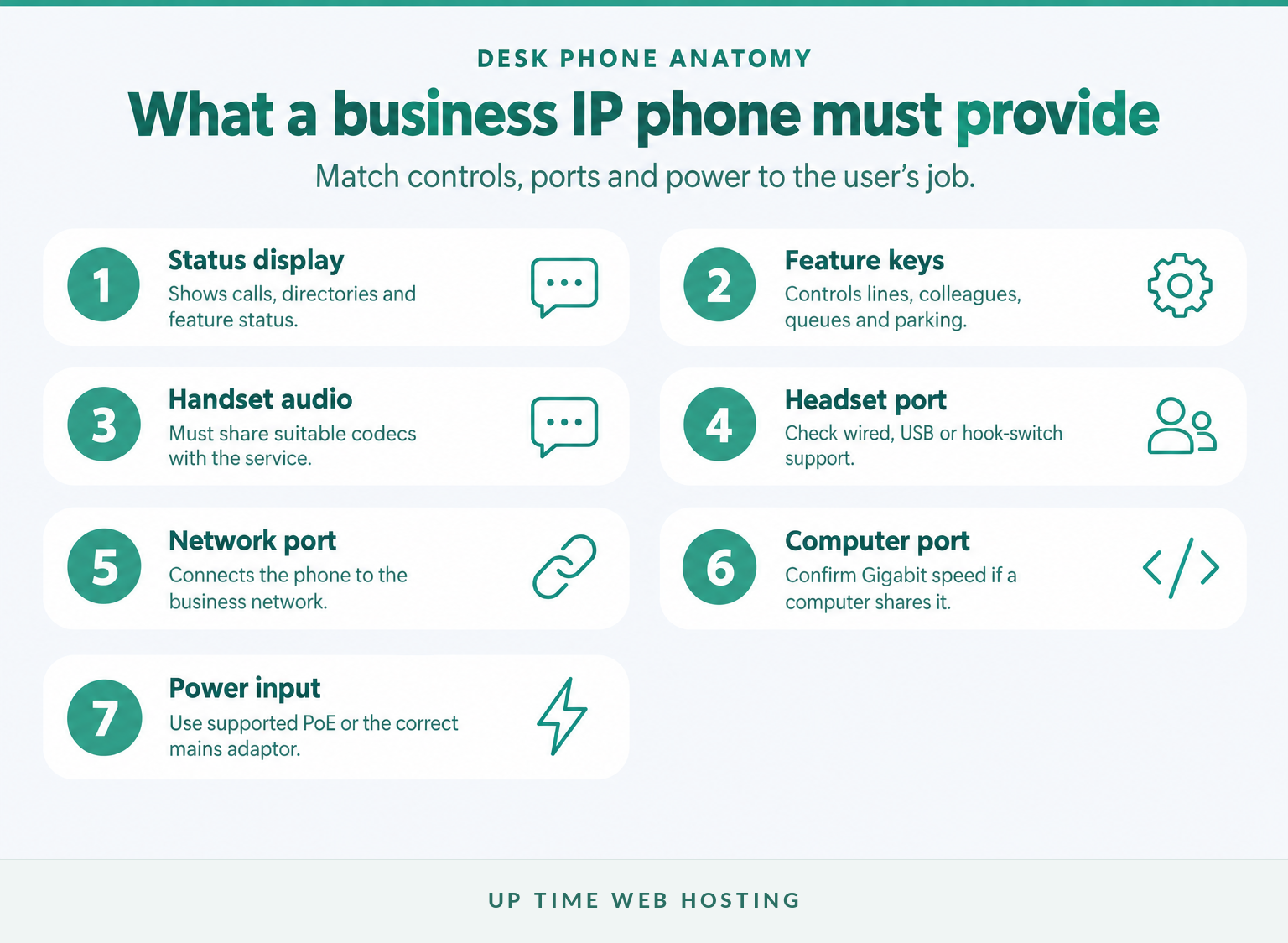
A business desk phone should have enough physical controls, network capacity and audio support for the person who will use it. The correct specification is different for a receptionist, a manager, a shared counter and a lightly used back-office extension.
How many programmable keys are enough?
Count the functions the user needs to see without opening an on-screen menu. These may include personal lines, colleagues’ busy-lamp fields, queues, call parking, speed dials and shared numbers.
Reception-heavy workplaces often need more visible keys than ordinary office users. The workflow described in this guide to a small law-office phone system is a useful example of why transfers, caller handling and visible staff availability can matter more than decorative features.
An expansion module may add more keys, but it also adds desk space, cost, cabling and another component that must be supported. Confirm that the service can populate and manage those keys before relying on an accessory.
Which ports should be on the back?
A normal desk phone may need:
- an Ethernet network port;
- a second Ethernet port for a computer sharing the same wall connection;
- Power over Ethernet or a compatible mains adaptor;
- a wired, USB or electronic hook-switch headset connection; and
- an expansion-module port where large key panels are required.
If a computer will connect through the phone, confirm that both Ethernet ports support the required network speed. A slower pass-through port can become an avoidable bottleneck for the computer even when voice calls sound acceptable.
Which audio codecs should the phone support?
The provider and telephone must share at least one suitable audio codec. ITU-T G.711 is a long-established voice coding standard, while ITU-T G.722 covers wideband audio that can provide clearer speech when the complete call path supports it.
Do not buy on an HD voice label alone. Ask which codecs the provider enables, whether wideband audio works internally and externally, and what happens when a call crosses a network that does not support the same wideband format.
A desk phone is only a good fit when its keys, ports, audio and power method match the user’s workflow.
Host your website with our 5-star rated, cPanel website hosting plans.
Super fast servers, with security included and hosted in your choice of Australian Data Center.
View cPanel Plans
Should you choose cordless handsets, conference phones or softphones?
Choose a specialised endpoint when the user moves around, several people share a room or a dedicated desk telephone would add little value. Each option changes the support, power, coverage and emergency-calling questions that must be answered.
When is a DECT cordless handset the better choice?
A cordless handset suits staff who move within a warehouse, clinic, workshop, showroom or large office but still need a business extension. The handset connects through a base station, and the base station connects to the VoIP service.
DECT is a defined family of cordless telecommunications standards maintained through ETSI’s DECT standards. The standards label alone does not determine the capacity of a particular base station, so check:
- the maximum number of registered handsets;
- the number of simultaneous calls;
- support for additional bases and roaming;
- coverage through the actual walls, shelving and machinery on site;
- battery type, charging time and replacement availability; and
- whether staff need a rugged or easily cleaned handset.
A Wi-Fi handset is another option, but it should be tested across the managed wireless network rather than assumed to roam cleanly between access points. Voice exposes brief coverage gaps that may not be obvious during ordinary web browsing.
When does a conference phone earn its place?
A conference phone is worthwhile when several people regularly join the same call from one room. Its value comes from microphone placement, speaker quality and echo management, not from looking different to a desk phone.
Match the device to the room. Check the recommended pickup area, whether expansion microphones are supported, where power and network cables will run, and whether the unit will register directly to the phone service or connect to a computer by USB.
A small meeting room may need only a compact unit. A long boardroom table may require expansion microphones or a different room-audio design. Test with people sitting in the positions they will actually use.
When is a softphone enough?
A softphone can suit remote staff, hot desks, travelling employees and users who make relatively few calls. The service runs through a computer or mobile application, normally with a headset for privacy and clearer microphone placement.
Softphones reduce the number of physical desk units, but they transfer dependence to the computer, operating system, application, headset and user notification settings. Check what happens when the computer sleeps, the application signs out or another application takes control of the microphone.
Businesses building a distributed team can compare these choices in the guide to virtual office phone systems. Personal mobile numbers should not become the accidental fallback simply because the business application was not configured or supported correctly.
Cordless, conference and software endpoints solve different movement and room problems, so they should not be treated as interchangeable.
How do power and network connections affect the phone choice?
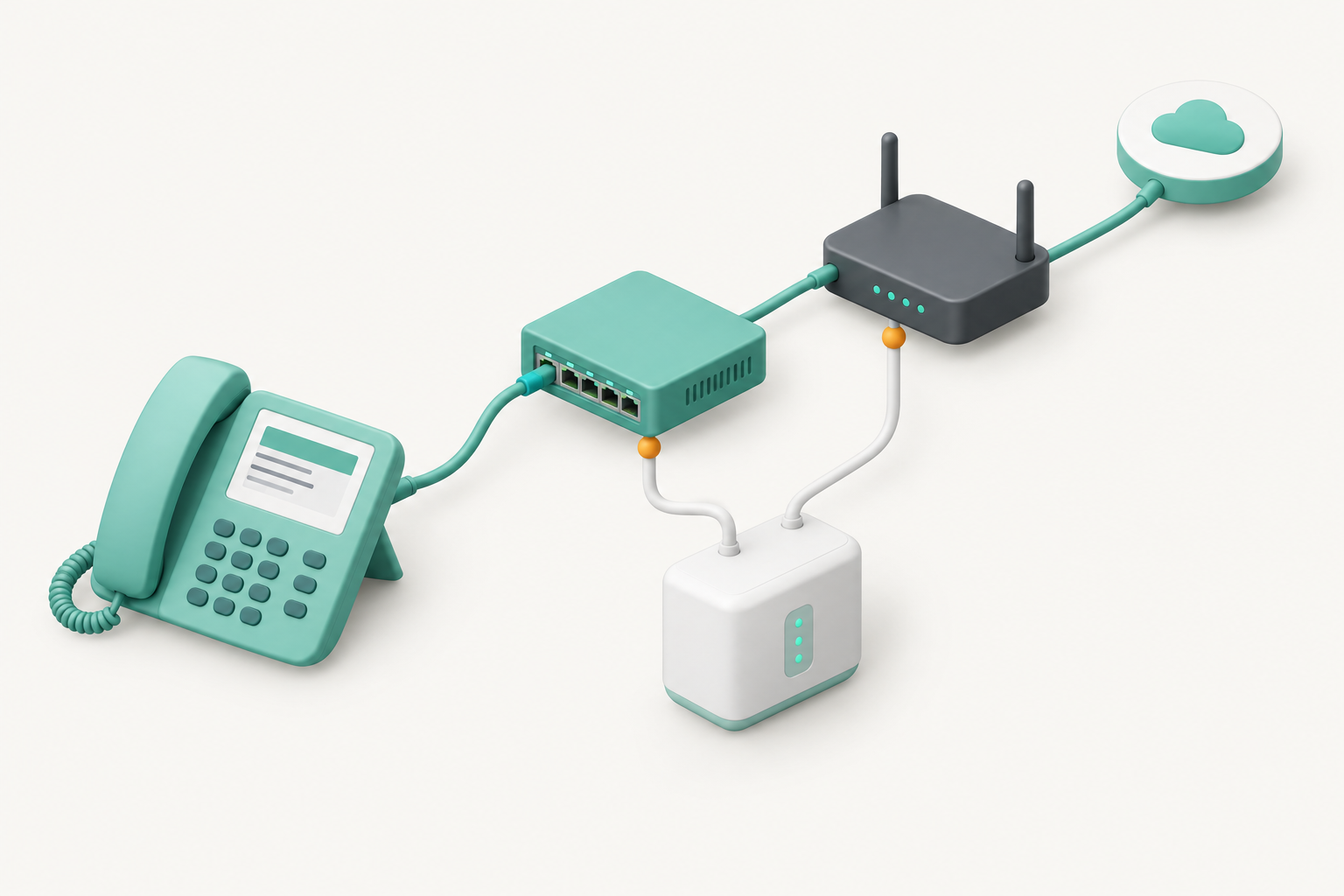
A VoIP telephone needs a working path through local power, network equipment, internet access and the phone service. Power over Ethernet simplifies the desk installation, but it does not remove the need to power and protect the switch, router and other required equipment.
The IEEE 802.3 Ethernet standard includes power delivery over selected twisted-pair Ethernet connections. In practical terms, a PoE-capable switch can carry network data and electrical power to a compatible phone over the same cable.
Check all of the following:
- Phone requirement: Which PoE standard and power class does the telephone require?
- Switch capacity: Does the switch provide the required standard and enough total power for every attached device?
- Fallback power: Is the correct mains adaptor included if PoE is unavailable?
- Cabling: Is the existing structured cabling suitable and correctly terminated?
- Computer sharing: Does the phone provide a suitable Gigabit Ethernet pass-through port if a computer will connect through it?
- Backup: Will a UPS power the switch, router and other local equipment, not just one telephone?
A Wi-Fi phone or softphone avoids an Ethernet cable at the desk, but it adds dependence on wireless coverage, access-point power and roaming behaviour. A corded Ethernet phone is usually easier to diagnose because its network path is more visible.
Voice traffic can be separated or prioritised on a managed network, but traffic settings cannot repair unstable cabling, weak wireless coverage or a failing internet connection. Businesses replacing older equipment should include these dependencies when comparing VoIP and traditional phone systems.
A phone remains available only while every required network and power component remains available.
How do provisioning and support change the real cost?
A telephone that takes hours to configure and cannot be maintained remotely may cost more than a supported model with a higher purchase price. Provisioning, firmware, replacement time and technical support belong in the buying decision.
There are three common provisioning paths:
- Provider-supplied and preconfigured: The device arrives with the required settings or downloads them when connected.
- Approved bring-your-own device: The business buys an approved model and follows the provider’s automatic or assisted provisioning process.
- Manual configuration: An administrator enters server, account, security and feature settings on each telephone.
Manual setup may be acceptable for a very small installation, but it becomes harder to manage when devices are replaced, reset or moved between staff. Ask whether configuration can be reapplied remotely and whether a factory reset removes all customised settings.
Support questions should cover the complete device lifecycle:
- How long will the manufacturer provide firmware and security updates?
- Can the provider diagnose the phone remotely?
- Who holds the administrative password?
- Can configuration be restored after a reset?
- Is a replacement unit available quickly in Australia?
- Does the warranty belong to the buyer, provider or hardware reseller?
- What happens when a model reaches end of support?
Used hardware can lower the initial purchase price, but check ownership, reset access, firmware availability, power supplies and support status before treating it as a saving. Ask whether the device contains service-specific firmware or restrictions that could prevent reprovisioning.
The cheapest handset can become the most expensive choice if nobody can provision, update or replace it.
Register your new domain name at competitive market prices including free domain add-ons like privacy, DNS Hosting, Custom Nameservers and Forwarding.
Always the best price and no nasty renewal price hikes.
Register A Domain Name
How many line keys, accounts and call features do you need?
Do not use line, number, extension, user and call as if they mean the same thing. Count each part separately, then choose a handset with enough capacity and visible controls for the user’s real call load.
The key terms are:
- Business number: The public Australian number that customers dial. ACMA’s Australian number categories include geographic, mobile, local-rate and freephone numbers.
- Extension or user: The person, role or location inside the phone system.
- SIP registration or account: The credentials an endpoint uses to connect to the service.
- Simultaneous call: A live call path that may be active even when the user is handling another call.
- Line or feature key: A physical or on-screen button that shows or controls a call, colleague, queue or function.
- Busy-lamp field: A key or indicator showing another extension’s status and often allowing quick dialling or call pickup.
A general office user may need one extension, a few programmable keys and support for two active calls. A receptionist may need many busy-lamp fields, queue controls, call parking and a headset button. A shared-area phone may need almost no personal features but should have clear transfer, directory and emergency instructions.
Do not choose key capacity by counting employees alone. A small team can require many visible keys when one person answers several numbers, monitors a queue or transfers calls frequently. A larger team may need fewer physical keys when calls arrive directly and presence is managed through a computer application.
Also ask whether the system licences users, devices or simultaneous registrations. A person using a desk phone, computer and mobile application may require one user licence but several authorised endpoints, depending on the service design.
Count users, registrations, simultaneous calls and busy-lamp keys separately before choosing a phone.
What should you test before buying the full fleet?
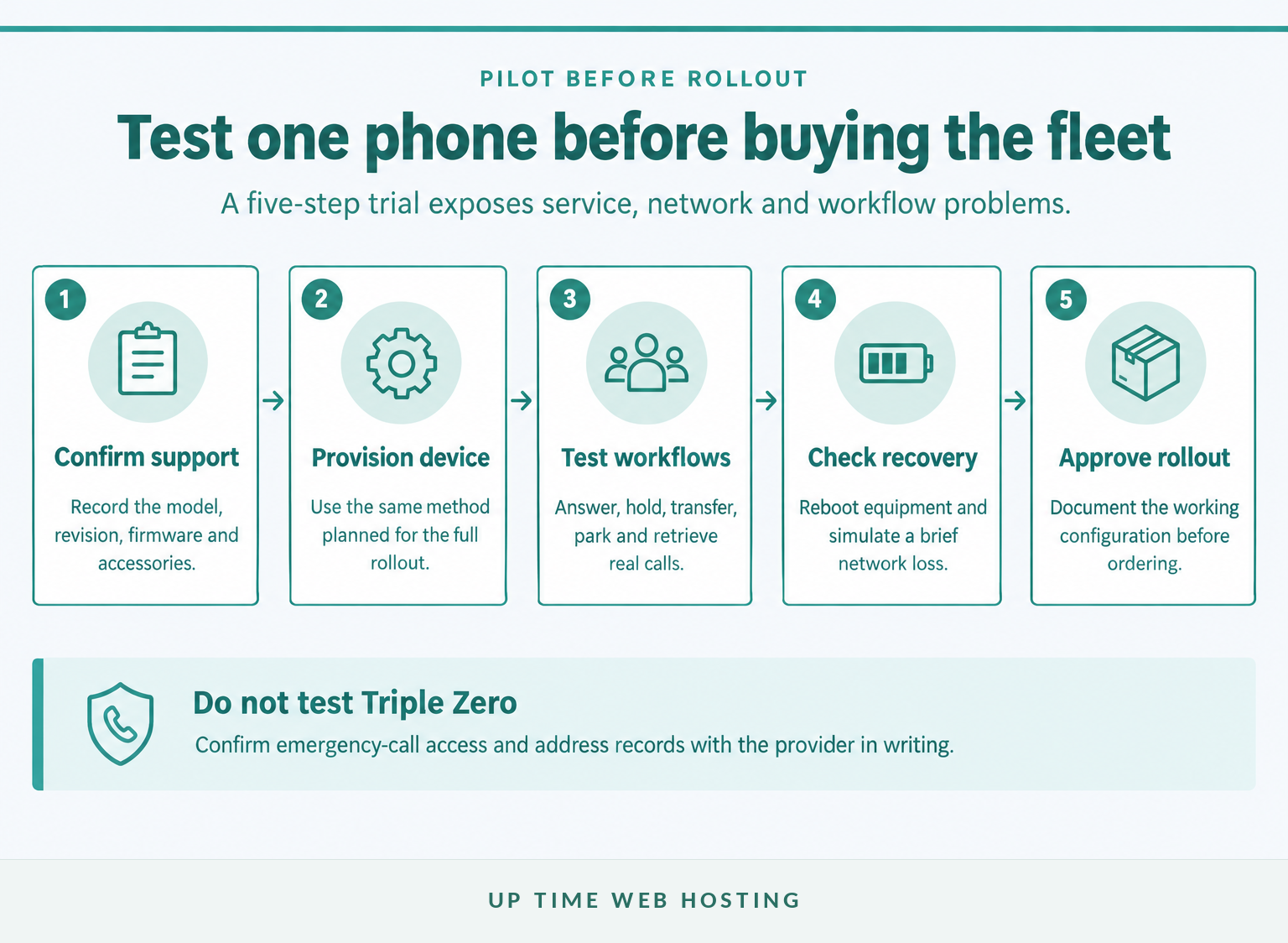
Buy or borrow one approved unit for each endpoint role and test it under normal business conditions. A pilot should prove registration, call handling, audio, power, support and recovery before a large hardware order is placed.
Use this pilot sequence:
- Confirm support: Record the exact model, hardware revision, firmware and required accessories.
- Provision the endpoint: Use the same method planned for the full rollout.
- Test real workflows: Have the intended users answer, hold, transfer, park and retrieve calls.
- Test recovery: Reboot equipment and check how the phone recovers after a brief network interruption.
- Approve the standard: Document the working configuration before buying or deploying more units.
The test checklist should include:
- inbound and outbound calls;
- caller ID and the correct outbound business number;
- hold, attended transfer and blind transfer;
- voicemail notification and retrieval;
- queues, ring groups and call parking where used;
- busy-lamp fields and shared directories;
- wired or wireless headset controls;
- speakerphone audio at normal room volume;
- operation after a reboot or factory reset;
- remote configuration and firmware updates;
- cordless coverage and handover where applicable; and
- replacement of one endpoint without rebuilding the user account.
Run the pilot at the actual location. A phone that works on a test bench may behave differently behind the business router, VLAN, firewall, Wi-Fi design or internet service.
Do not place a non-emergency test call to Triple Zero. Confirm emergency-call access, address records and staff procedures with the provider in writing, then document the approved process beside shared phones.
A small pilot exposes compatibility and workflow faults before they become a fleet-wide problem.
Experience Microsoft 365 Business Standard for free for 30 days.
Up to 25 users with full access to email, OneDrive and Teams. Includes full versions of desktop apps of Outlook, Word, Excel, PowerPoint and more.
Try Microsoft 365
What happens during a power or internet outage?
Most VoIP endpoints stop working when any required part of their power or connectivity path fails. A continuity plan should cover local power, internet access, provider availability, alternate routing and a separate way to contact emergency services.
As of November 2026, ACMA’s emergency-calls guidance says Triple Zero can be called from certain VoIP services, not every possible VoIP service. ACMA also advises that an operator may ask a caller using a mobile or VoIP service for the town and state because the caller may not be at the billing address.
The nbn emergency-preparedness guidance says equipment connected through the nbn network will not work during a power outage. Powering one phone is therefore insufficient if the switch, router, network termination equipment or internet path is unavailable.
A practical business continuity design may include:
- a UPS sized for the router, switches, access points and other required local equipment;
- a secondary internet or mobile-data path where the phone platform supports it;
- provider-side call forwarding to mobiles or another site when endpoints are unreachable;
- charged business mobiles and portable battery packs;
- documented after-hours and emergency contacts; and
- current service-address information held by the provider.
Estimate how long the business needs calling to continue and test whether the backup arrangement lasts that long. A UPS runtime estimate is not a substitute for a timed test under the real equipment load.
Staff should also know which functions survive an outage. Incoming calls may forward successfully while desk phones, internal extensions or outbound caller ID remain unavailable. Record the expected behaviour instead of assuming every feature will fail or recover together.
VoIP continuity requires a separate plan for power, internet access, call routing and emergency communication.
What else do Australian businesses ask about VoIP telephones?
The questions below cover the distinctions most likely to affect a handset purchase. Each answer assumes the business will confirm its final device list and emergency arrangements with the chosen service provider.
What is a VoIP phone number?
A VoIP phone number is an Australian telephone number connected to an internet-based calling service rather than tied to one physical copper line or handset. The number may ring a desk phone, softphone, cordless handset or call queue. ACMA manages Australian numbering categories, while telcos issue numbers to customers.
Can any SIP phone work with any VoIP provider?
No. SIP is the common signalling protocol, but providers can require particular firmware, codecs, security settings, provisioning methods and feature support. A phone may register yet still lose busy-lamp fields, directory integration or reliable transfers. Treat the provider’s approved-device list or written confirmation as the final compatibility check.
Do VoIP desk phones need a power adaptor?
Some desk phones can receive Power over Ethernet from a compatible network switch, while others need a separate mains adaptor. Some support both. Check the phone’s required PoE standard and power class, the switch’s available power budget, and whether an adaptor is included before ordering.
Can a business use cordless and desk phones on the same system?
Yes. A hosted PBX can usually assign different endpoint types to different users or rooms, such as desk phones for reception, cordless handsets for mobile staff, conference phones for meeting rooms and softphones for remote workers. The provider still needs to approve each endpoint and its provisioning method.
Will VoIP phones work during a power outage?
Usually not without backup power and working connectivity. The handset, PoE switch or adaptor, router, network termination equipment and provider path may all be required. nbn advises that connected equipment will not work in a power outage, so businesses should plan UPS power, mobile alternatives and call-routing fallbacks.
What should you do next?
Build a one-page endpoint schedule listing each user or room, the required device type, call controls, power method, network connection and accessories. Send that schedule to the proposed provider and request written confirmation of every model, firmware version and provisioning method before placing a bulk order.
Up Time’s Australian business VoIP service is published as working with compatible SIP devices and identifies desk phones, conference phones and softphones as endpoint options. Ask Up Time to check the proposed endpoint schedule against the service that will actually be supplied before purchasing the hardware.