In short
A VoIP ATA lets a compatible analogue telephone use an Australian SIP-based VoIP service by converting the handset’s analogue signal into internet voice traffic. It can preserve a familiar phone, but only after the provider confirms the ATA model, SIP settings, emergency calling, power-outage behaviour and compatibility with any fax, alarm or other attached device.
Key takeaways
- An ATA is required for an analogue handset, but a native VoIP phone or supported softphone normally connects without one.
- Choose the VoIP service first and obtain approval for the exact ATA model and firmware before purchasing hardware.
- The handset connects to an FXS phone port, while the ATA connects to the router by Ethernet and also needs local power.
- Most NBN-connected phone services will not work during a power outage, so keep a charged mobile available for Triple Zero.
- Fax machines, monitored alarms, EFTPOS terminals, fire panels and lift phones require separate compatibility and continuity checks.
Contents
- What does a VoIP ATA actually do?
- Which ATA ports and features do you need?
- How do you connect an analogue phone to VoIP?
- What must your router and internet connection provide?
- Will an ATA work with fax, alarms, EFTPOS or other analogue equipment?
- What happens to Triple Zero and calls during a power outage?
- When is replacing the analogue handset the safer choice?
- Frequently asked questions
- What should you check before you buy or configure an ATA?
An ATA can be a sensible migration tool when the existing handset is simple, familiar and still in good condition. It is not proof that every device designed for an old copper telephone line will work correctly over VoIP.
What does a VoIP ATA actually do?
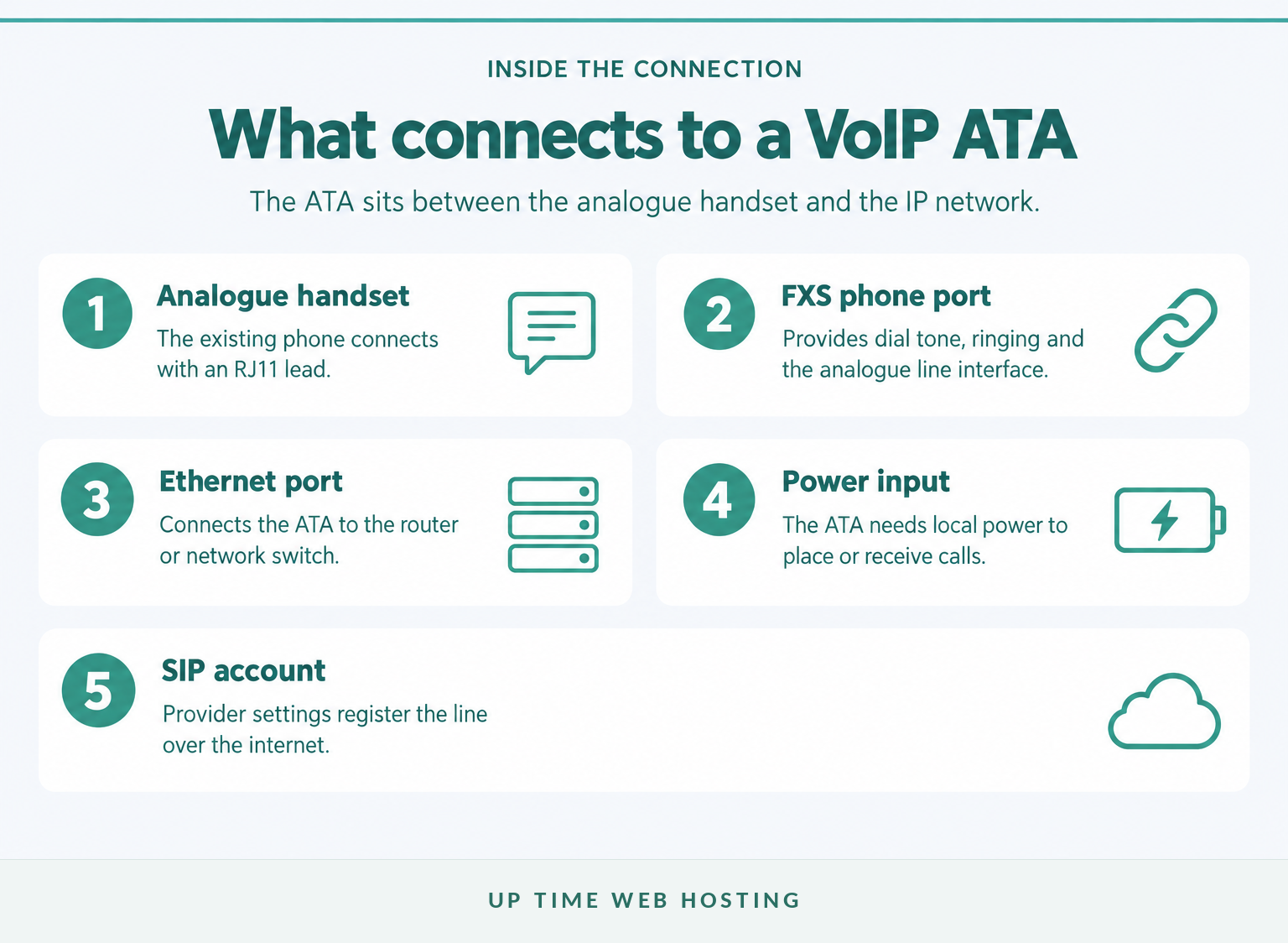
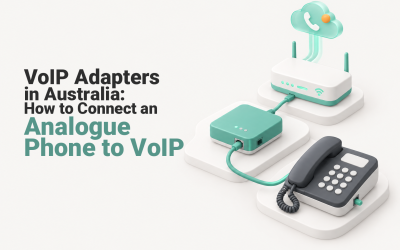
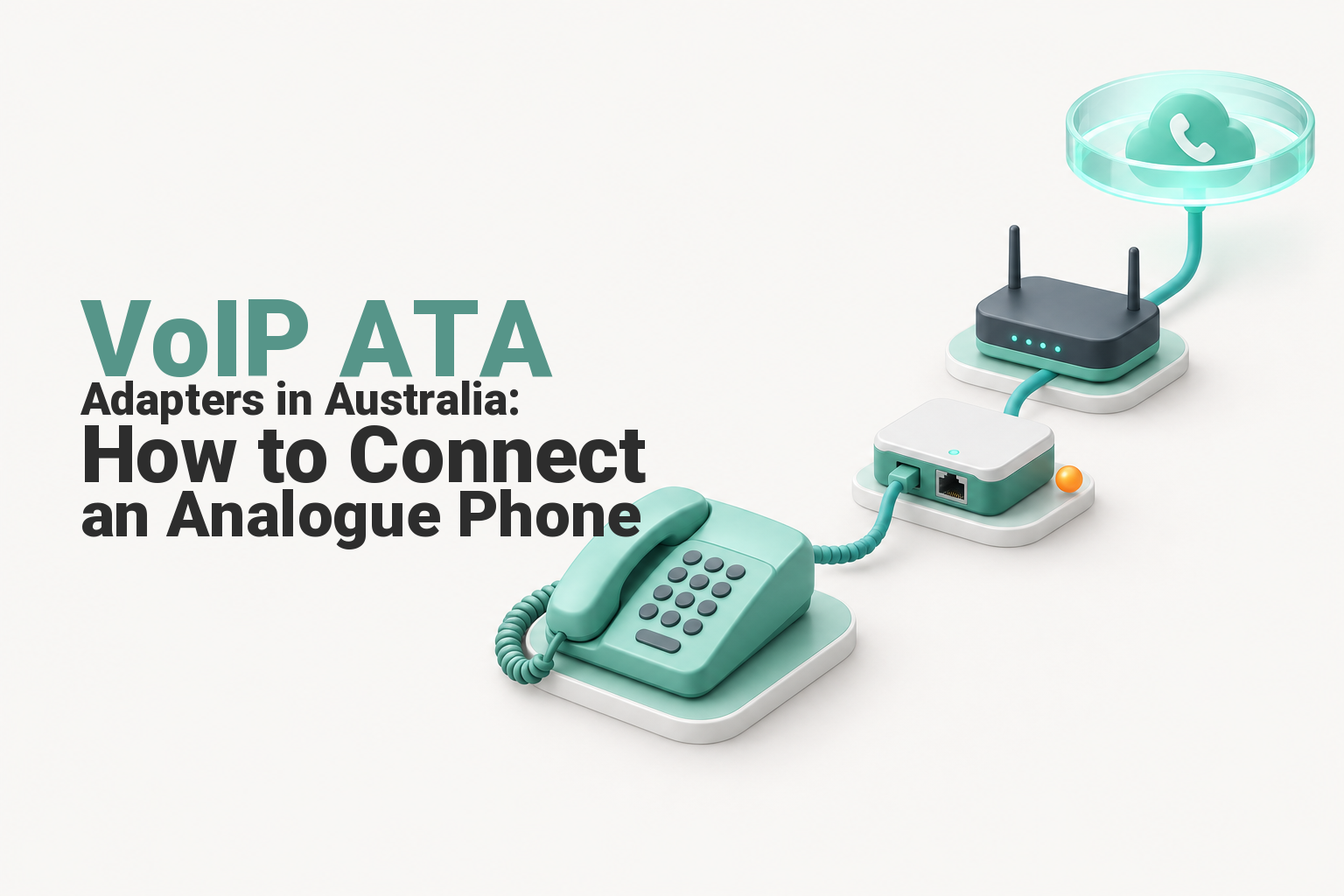
An analogue telephone adaptor, usually shortened to ATA, is a gateway between an analogue phone and an IP network. The handset plugs into an FXS phone socket, while the ATA uses Ethernet and SIP to register with the VoIP service.
SIP is the signalling protocol defined by RFC 3261. SIP establishes, changes and ends an internet telephone session, while the ATA converts the handset's voice and telephone signals into data suitable for that session.
The phone socket you need is an FXS port. An FXS port supplies the line interface expected by an analogue telephone, including dial tone and ringing. The IETF's SIP telephony device requirements specifically describe analogue adaptor functionality through an RJ11 FXS port.
An FXO port serves a different purpose. It accepts an external analogue telephone line, such as a legacy public switched telephone network connection. A basic migration in which one telephone connects to a VoIP account normally needs FXS, not FXO.
A native IP phone does not need this conversion. It connects to the network itself, which is one of the main differences covered in the guide to VoIP versus traditional phone systems.
An ATA is useful only when the phone-side connection, SIP service and provider support all match.

Performance you can feel, backed by clients who depend on it. Read how our support and uptime create long‑term customer success.Power Your Business with Better Hosting
Which ATA ports and features do you need?
The right ATA is the one your VoIP provider will provision or support, not simply the one with the longest feature list. Confirm the exact model and firmware before buying, because SIP compatibility does not guarantee correct registration, caller ID, dial plans, codecs or support.
Check these points with the provider:
- FXS port count: One FXS port is enough for one basic analogue endpoint, while separately configured lines or devices may require additional ports.
- Provisioning method: Ask whether the provider applies a configuration automatically or supplies settings for manual entry.
- Firmware: Confirm the required version and whether security updates remain available.
- Handset dialling: Most modern touch-tone phones use DTMF. A very old rotary or pulse-dial telephone needs explicit ATA support.
- Caller ID and keypad tones: Test caller ID and calls to menu systems because analogue signalling options differ between handsets and ATA profiles.
- Fax requirements: If fax is essential, obtain written confirmation that the ATA and service support the provider's approved fax method.
- Power supply: Use the correct Australian power adaptor and allow for the ATA, router and NBN equipment in any backup-power plan.
“SIP-compatible” describes a protocol capability. “Provider-supported” means the service operator has accepted the model, firmware, configuration and support responsibility. That distinction also applies when selecting VoIP telephones in Australia.
Avoid buying extra ports or routing functions without a defined use. A simple supported ATA is easier to secure and troubleshoot than a larger gateway configured by guesswork.
Choose the provider-supported ATA first, then choose the port count and features.
How do you connect an analogue phone to VoIP?
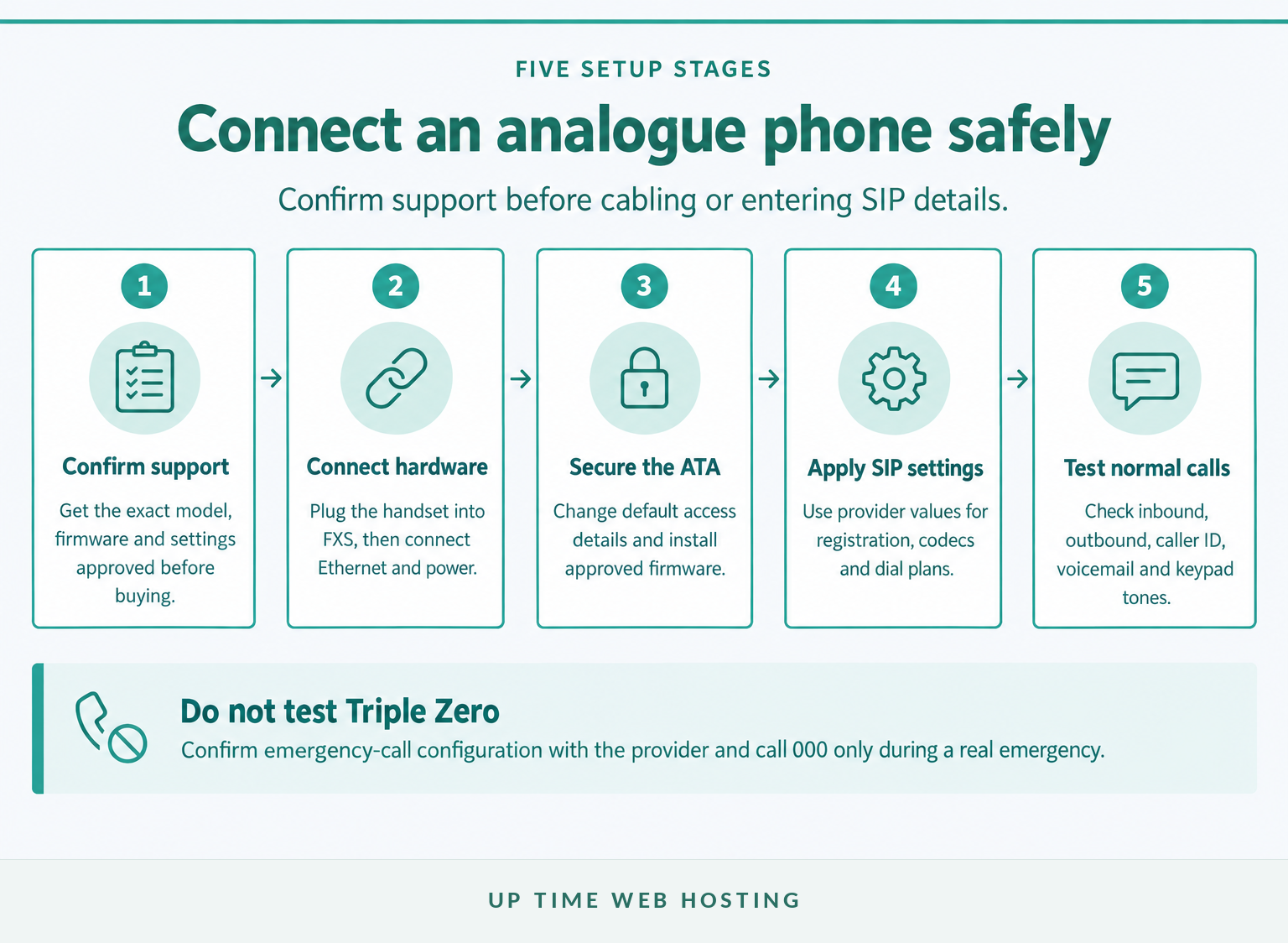
Connect the phone, network and power first, then apply only the settings supplied by the VoIP provider. The safe order is provider approval, physical cabling, secure administration, SIP configuration and ordinary call testing.
1. Confirm support and collect the settings
Send the provider the exact ATA model and firmware. Request the required SIP registrar or server, username, authentication ID, password, transport, port, codec, dial plan, caller ID settings and provisioning method.
Also confirm how the service handles Triple Zero and which address will be associated with the telephone number. Do not assume the billing address, installation address and emergency-service record are already identical.
2. Connect the handset, network and power
Plug the analogue handset into the ATA port marked Phone, Line or FXS using an RJ11 telephone lead. Connect the ATA's Ethernet or WAN socket to a LAN port on the router or network switch, then connect the supplied power adaptor.
Do not connect the handset to an Ethernet socket. Do not connect the ATA's Ethernet socket to a telephone wall outlet.
3. Find and secure the ATA administration page
The router will usually assign the ATA a local IP address. The address may be shown in the router's connected-device list or announced through the ATA's handset menu, depending on the model.
Sign in from the local network, replace any default administrator password and install only provider-approved firmware. Do not expose the administration page directly to the public internet.
4. Apply the provider's SIP configuration
Automatic provisioning is usually preferable when the provider supports it because it reduces manual entry errors. If configuration is manual, copy the supplied values exactly and avoid changing codec, NAT, regional tone, DTMF, dial-plan or fax options without a documented reason.
A status such as Registered usually means the ATA has authenticated with the SIP service. It does not prove that inbound calls, outbound calls, caller ID or special devices work correctly.
5. Test ordinary calls and business functions
Test an outbound call to a normal Australian number and an inbound call from another service. Check two-way audio, caller ID, voicemail, call transfers if used, and keypad input through an automated menu.
Do not make a test call to Triple Zero. ACMA says 000 should be used only when urgent police, fire or ambulance help is required, so ask the provider how emergency-call configuration is verified.
Connecting an ATA to fixed wall sockets or existing building telephone wiring can become regulated cabling work. ACMA's cabling guidance says a registered cabler can connect an NBN modem to data or voice cabling and work on phone, alarm and fire-system cabling.
Configure an ATA from the provider's settings, secure it, and test normal calls before relying on it.
Host your website with our 5-star rated, cPanel website hosting plans.
Super fast servers, with security included and hosted in your choice of Australian Data Center.
View cPanel Plans
What must your router and internet connection provide?
An ATA needs a stable internet path through a router, normally over Ethernet. The router must provide normal network access and allow the provider's SIP signalling and voice media without unsafe exposure of the ATA's management page.
The practical requirements are modest but important:
- A working broadband service and router with a spare Ethernet port, or a suitable network switch.
- Reliable local cabling between the ATA and router.
- Router settings compatible with the provider's SIP and media design.
- Enough available connection capacity that large uploads, cloud backups or other traffic do not repeatedly disrupt calls.
- A firewall configuration that does not expose the ATA's administration interface.
Do not create port-forwarding rules, place the ATA in a DMZ or change SIP ALG settings simply because a generic setup guide suggests it. Network address translation and firewall behaviour differ between providers and equipment, so use the provider's documented settings.
Quality of service can prioritise voice traffic when a connection is congested. It cannot repair an unstable internet service, damaged cabling or an unsupported ATA.
The Australian Signals Directorate's October 2026 small business cyber security handbook recommends changing default router passwords and keeping firmware updated. Apply the same basic controls to an ATA and disable remote administration or unused services where the device permits it.
A provider should document its hardware, router, security and outage requirements before the service is ordered. The checklist for businesses that need to compare VoIP companies in Australia explains what to request in writing.
A supported ATA on a stable, correctly secured network is more reliable than a cheap adaptor with guessed settings.
Will an ATA work with fax, alarms, EFTPOS or other analogue equipment?
An ATA may work well with a normal analogue handset, but fax machines and safety-critical devices need separate approval and testing. Never assume that an alarm, lift phone, fire panel, EFTPOS terminal or fax will behave like an ordinary voice handset.
| Device | Should an ATA be assumed to work? | What must be confirmed? |
|---|---|---|
| Standard touch-tone telephone | Usually, after provider approval | ATA model, firmware, FXS port, caller ID, DTMF and normal call tests |
| Fax machine | Sometimes | Provider fax support, ATA fax mode, T.38 or approved alternative, and real send-and-receive tests |
| Security or medical alarm | No | Alarm-provider approval, monitoring-centre test, power backup and outage behaviour |
| EFTPOS or health-claim terminal | No | Terminal-provider support or an approved IP or mobile replacement |
| Lift emergency phone or monitored fire panel | No | Specialist migration design, equipment-provider approval, resilient power and documented testing |
NBN's current business compatibility guidance says fax can operate on some phone services, but the service provider must offer the necessary support. The same guidance tells businesses to check security systems, fire alarms and lift emergency phones with the relevant equipment or maintenance provider.
The ITU's T.38 recommendation defines procedures for real-time Group 3 fax communication over IP. T.38 support in an ATA alone is not enough; the service and the rest of the call path also need compatible handling, so test both sending and receiving with representative documents.
Medical alarms, fire alarms and lift phones require a continuity plan rather than a basic voice test. NBN's emergency-preparedness advice tells users who need safety-critical equipment during a power outage to discuss the appropriate continuity solution with the device supplier.
A modern IP or mobile-connected replacement may be safer than adapting an old dial-up device. The decision belongs with the device supplier, monitoring organisation and telecommunications provider, not with a generic ATA specification sheet.
Treat fax, alarms, lift phones, fire panels and payment terminals as separate migration projects, not ordinary phones.
What happens to Triple Zero and calls during a power outage?
Triple Zero access depends on the VoIP service and its configuration; ACMA says 000 is available from certain VoIP services, not every internet calling service. Most NBN-connected services also stop working in a power outage, so an ATA cannot be the only emergency plan.
Before activation, ask the provider these questions:
- Can this service and ATA call Triple Zero?
- Which service address will be stored against the number?
- How is that address updated after a move?
- What happens if the internet, router, ATA or provider platform is unavailable?
- What separate fallback should staff or household members use?
ACMA's emergency-details guidance says address information held in the Integrated Public Number Database is passed to emergency services when a person calls Triple Zero. Keep the service address current with the telco, particularly if a number is moved between premises.
ACMA also explains that a person calling from a VoIP service may be asked for the town and state because the caller might not be at the service or billing address. Give the operator the actual location during an emergency.
As of November 2026, ACMA's emergency-call guidance states that most NBN-connected services will not work during a power outage and recommends having another way to contact 000, such as a charged mobile phone.
A UPS may keep the ATA, router and local NBN equipment powered for a limited period. It does not guarantee that the wider access network, internet connection or VoIP platform will remain available, so backup power is not a complete emergency-calling strategy.
A VoIP ATA needs a confirmed 000 service, a current service address and a separate outage fallback.
Register your new domain name at competitive market prices including free domain add-ons like privacy, DNS Hosting, Custom Nameservers and Forwarding.
Always the best price and no nasty renewal price hikes.
Register A Domain Name
When is replacing the analogue handset the safer choice?
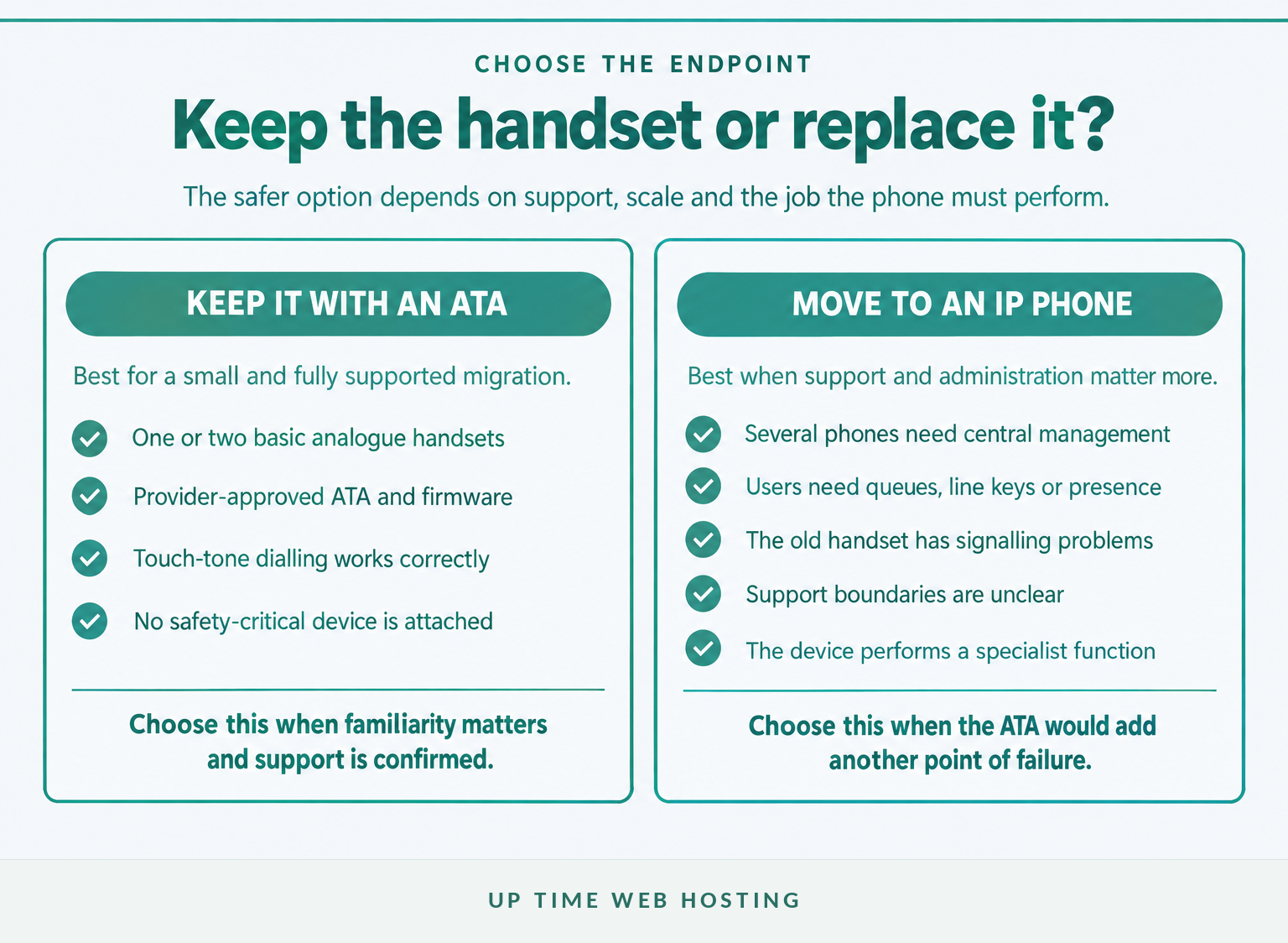
Keep the analogue handset when it is simple, reliable and supported for the intended service. Replace it when the migration depends on unsupported hardware, safety-critical functions, old pulse dialling, complex business features or large-scale administration.
An ATA is a reasonable choice when:
- One or two basic analogue handsets need to be retained.
- The provider has approved the exact ATA and firmware.
- The handset uses ordinary touch-tone dialling and passes caller ID and keypad tests.
- Staff do not need many programmable keys, presence indicators or advanced on-device controls.
- No safety-critical or specialist device is being treated as a normal telephone.
A native IP phone is usually the safer long-term choice when:
- A business is deploying several phones and wants central provisioning and firmware management.
- Users need line keys, transfer keys, queues, presence information or multiple simultaneous calls.
- The old handset has unreliable buttons, pulse dialling, weak ringing or caller ID problems.
- Support responsibility is unclear between the handset, ATA and VoIP provider.
- The ATA would be used to keep an alarm, payment terminal or emergency device operating without specialist approval.
A softphone may also remove the need for an ATA when staff do not need a desk handset. The guide to mobile VoIP in Australia explains how a supported smartphone application can operate as another business-phone endpoint.
If the plan involves feeding an ATA into several existing wall sockets, stop and consult a registered cabler. Fixed wiring can introduce regulatory, isolation and troubleshooting issues that do not exist when one phone is connected directly to one FXS port.
An ATA suits a small, supported migration; a native IP phone is safer when the old handset creates operational or support risk.
Frequently asked questions
These are the short answers to common questions about VoIP adaptors and phones in Australia. The service must still approve the exact endpoint and configuration before it is relied upon.
Do you need an ATA for VoIP?
You need an ATA only when the endpoint is an analogue phone, fax or similar device that must connect to a SIP-based VoIP service. A native VoIP phone, computer softphone or supported mobile app connects directly to the network and does not normally need an ATA.
What are the most affordable VoIP providers in Australia?
The most affordable service is the one with the lowest complete cost for the required numbers, users, calls, setup, hardware, support and exit terms. Compare like with like, confirm GST, and avoid buying an ATA until the provider confirms the exact model and any configuration or support charges.
Can I just plug a VoIP phone into my router?
A native VoIP phone can usually connect to a router or network switch by Ethernet, but it still needs power, compatible firmware and valid registration or provisioning from the VoIP provider. An analogue phone cannot plug into Ethernet; it needs an ATA or a router with a supported phone port.
Is there a totally free VoIP?
Some applications allow free app-to-app internet calls, but a practical Australian business phone service is not totally free. Australian numbers, incoming and outgoing telephone-network calls, number porting, emergency calling, support, hardware and internet access can all involve charges or limits that must be checked before relying on the service.
An ATA is only one endpoint option, and the service decision should come before the hardware purchase.
Experience Microsoft 365 Business Standard for free for 30 days.
Up to 25 users with full access to email, OneDrive and Teams. Includes full versions of desktop apps of Outlook, Word, Excel, PowerPoint and more.
Try Microsoft 365
What should you check before you buy or configure an ATA?
Get written answers from the provider rather than relying on a marketplace listing or a generic SIP label. The provider should confirm the complete path from the analogue handset to normal calls, business features, Triple Zero and outage fallback.
Supply these details when requesting approval:
- The exact ATA model and firmware version.
- The make and type of analogue handset.
- The number of FXS ports and separate lines required.
- Any fax, alarm, EFTPOS, lift, fire or other specialist equipment.
- The router model and internet connection.
- Required caller ID, voicemail, transfer and keypad-menu functions.
- The physical service address and emergency-calling requirements.
- The expected behaviour during internet and power outages.
UpTime states that its business VoIP service works with compatible SIP devices. Discuss the intended ATA, handset and use case with UpTime before purchasing equipment, and request written confirmation of compatibility, provisioning, support boundaries and Triple Zero arrangements.
The safest migration starts with written compatibility approval before any ATA or handset is purchased.