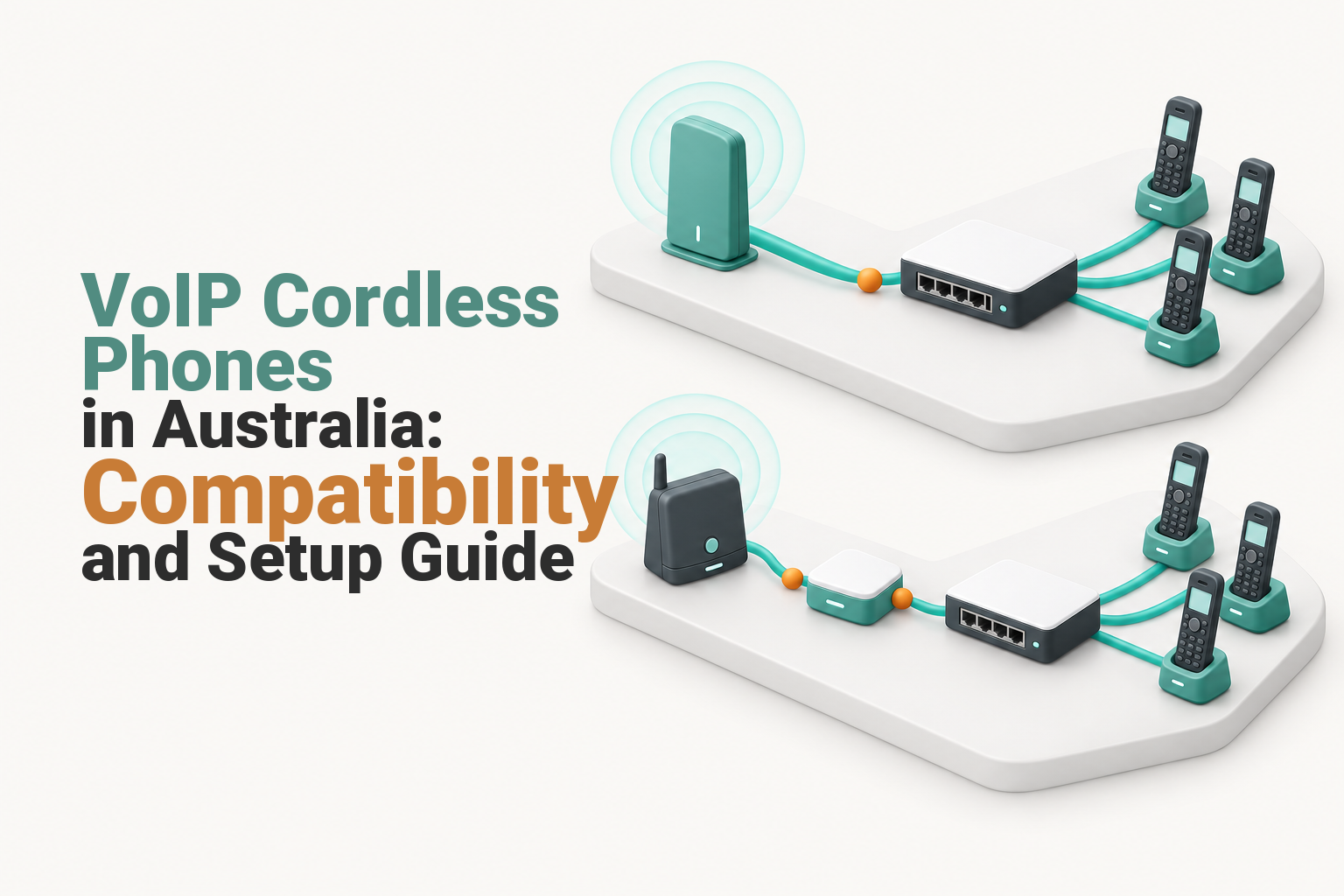
In short
VoIP cordless phones in Australia work in two main ways: a native SIP/IP DECT base connects to the business network, or an ordinary analogue cordless base connects through a compatible analogue telephone adapter. For growing teams, IP DECT is usually the better choice because handset extensions, transfers and simultaneous calls are easier to manage.
Key takeaways
- A native IP DECT base connects to the business network and registers with the VoIP service, while its handsets communicate wirelessly with the base.
- An ordinary analogue cordless phone needs an ATA or compatible router phone port and normally appears to the phone system as one analogue endpoint per port.
- Registered handset capacity, SIP accounts and simultaneous calls are separate limits that must be checked before purchase.
- Australian buyers should confirm provider support, Australian-market compliance, power backup and another way to call Triple Zero during an outage.
Contents
- Which cordless phones are compatible with VoIP?
- Should you choose native IP DECT or keep an analogue cordless phone?
- What must match between the handset, base and VoIP service?
- Can I just plug a VoIP phone into my router?
- How much range and call capacity does the business need?
- What are the disadvantages of using a VoIP phone?
- What should you check before buying in Australia?
- What else do buyers ask about VoIP cordless phones?
- What should you do next?
For a small business comparing a VoIP handset in Australia, the word cordless can hide two different architectures. Buying by handset shape or retail category is not enough because the base station and service determine what the phone can actually do.
Which cordless phones are compatible with VoIP?
Compatible options fall into two groups: a native SIP/IP DECT system, or an analogue cordless phone connected to a VoIP service through an ATA or router phone port. The correct choice depends on the provider, the base station, the handset family and the business features required.
| Setup | What connects to the network | How the handset connects | Best fit | Main limitation |
|---|---|---|---|---|
| Native IP DECT | The DECT base connects by Ethernet to a router or switch | The handset registers wirelessly with the DECT base | Businesses needing separate users, transfers and expansion | The service, base and handset family must all be supported |
| Analogue cordless phone with ATA | The ATA connects to Ethernet and provides an RJ11 phone port | The cordless base plugs into the ATA like a traditional phone | Reusing a simple existing cordless phone | One ATA port normally presents one analogue line or extension |
The IETF’s SIP specification defines the signalling used to register endpoints and establish calls. SIP support is necessary for a native IP base, but the standard does not mean every provider will provision every SIP device. (datatracker.ietf.org)
DECT describes the wireless connection between a cordless handset and its base. The ETSI GAP specification provides minimum interoperability for basic telephony, so GAP should not be treated as a promise that central directories, message indicators, transfer keys or every other enhanced feature will work across mixed equipment. (etsi.org)
An ATA takes an analogue phone connection from an RJ11 FXS port and bridges it to an IP network. A typical single-line cordless base connected to one FXS port therefore behaves as one analogue phone line, even when several handsets are paired with that base. (cisco.com)
Compatibility depends on the whole chain: service, base, handset and required features.

Performance you can feel, backed by clients who depend on it. Read how our support and uptime create long‑term customer success.Power Your Business with Better Hosting
Should you choose native IP DECT or keep an analogue cordless phone?
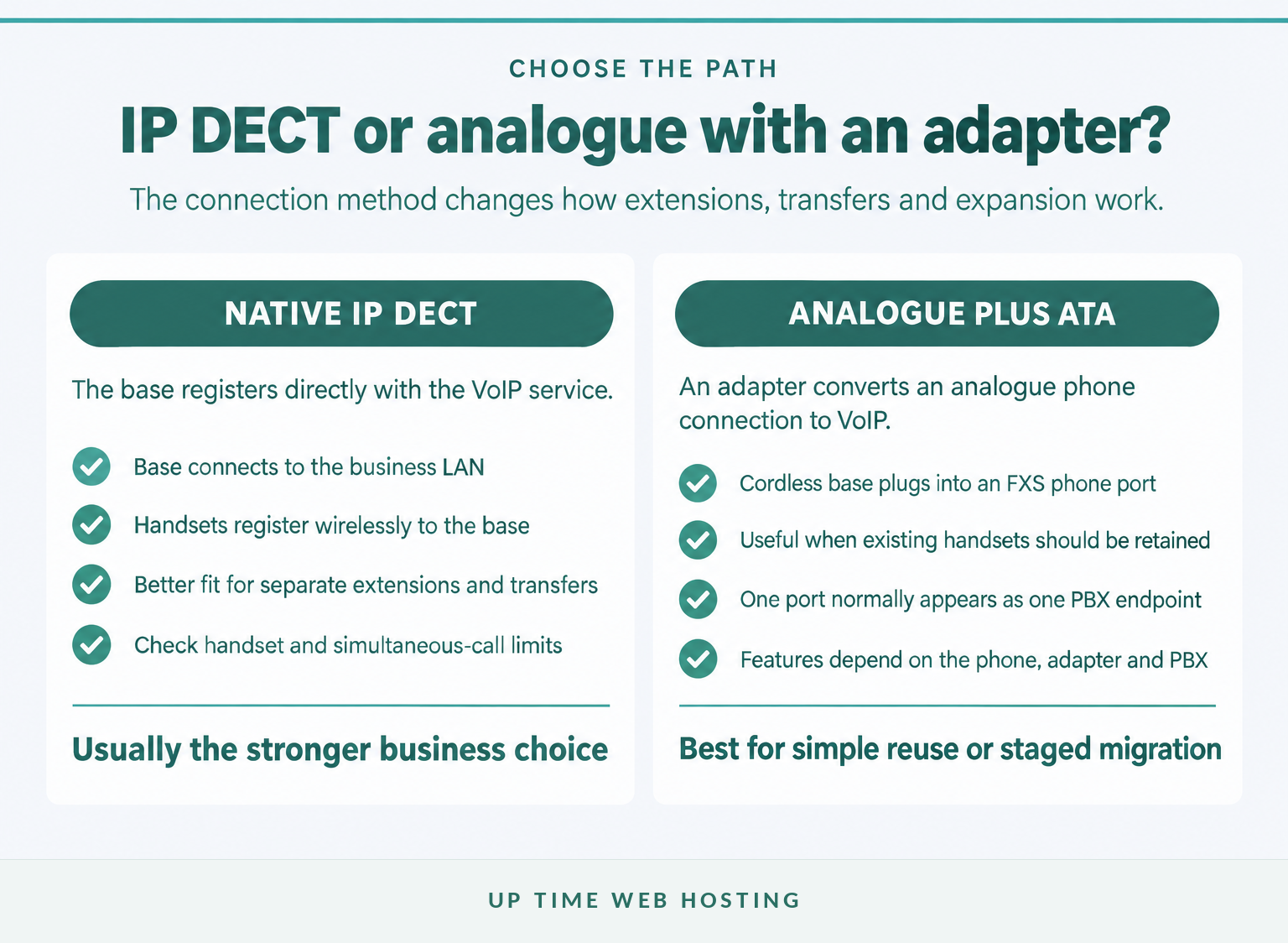
Choose native IP DECT when several staff need separate extensions, reliable transfers or room to add handsets later. Keep an analogue cordless phone through an adapter when the requirement is simple and reusing existing equipment matters more than advanced call control.
A native IP DECT system can assign SIP accounts or PBX extensions to individual handsets when the selected service and base support that arrangement. Staff can hold, transfer or route calls using the business phone system rather than relying mainly on the cordless base’s internal functions.
DECT provides the wireless mobility. The cloud PBX controls extensions, transfers, queues, voicemail and business-hours rules. Keeping those roles separate makes it easier to compare hardware without assuming the handset itself creates every phone-system feature.
A single-line analogue cordless base connected to one ATA port is usually presented to the PBX as one extension. Several paired handsets may answer that shared line or make internal calls if the cordless base supports them, but the PBX will not normally manage each handset as a separate user through that one port.
Transfers may still work through hook-flash functions or dial codes, depending on the ATA, phone and PBX. The process is often less direct than using handsets designed around the business phone system.
If staff need to answer the business number away from the premises, another cordless base may not solve the problem. A virtual office phone system can combine office handsets with approved computer or mobile endpoints under the same business identity.
Choose native IP DECT when separate extensions, transfers and growth matter more than reusing an old handset.
What must match between the handset, base and VoIP service?
The VoIP provider must support the base station’s registration or provisioning method, and the selected handsets must be compatible with that base. The Australian model, firmware, security options, call capacity and required PBX features also need to match.
Check these layers before ordering:
- Provider support: Ask whether the provider supplies automatic provisioning, permits supported bring-your-own SIP devices or supplies the credentials needed for manual setup.
- Base support: Confirm the base supports the required SIP accounts, security settings, codecs, provisioning method and number of simultaneous calls.
- Handset support: Use the base manufacturer’s compatibility list rather than assuming every DECT or GAP handset will retain every feature.
- PBX support: Confirm that hold, attended transfer, blind transfer, voicemail indication, directories and caller ID work with the proposed configuration.
- Australian supply: Confirm the unit is intended for the Australian market and supplied with suitable power equipment and compliance information.
The ACMA warns that cordless devices made for overseas markets may use an incorrect frequency in Australia or fail local regulatory requirements. Its guidance on overseas cordless devices recommends checking the seller and Australian compliance, while regulated products generally require an appropriate Regulatory Compliance Mark before supply. (acma.gov.au)
Security support matters because an IP DECT base or ATA is a network device with an administration interface. The Australian Government’s device-security guidance recommends changing default passwords, installing firmware updates and choosing products with ongoing security support. (cyber.gov.au)
A label such as SIP or GAP is a starting point, not a complete compatibility guarantee.
Host your website with our 5-star rated, cPanel website hosting plans.
Super fast servers, with security included and hosted in your choice of Australian Data Center.
View cPanel Plans
Can I just plug a VoIP phone into my router?
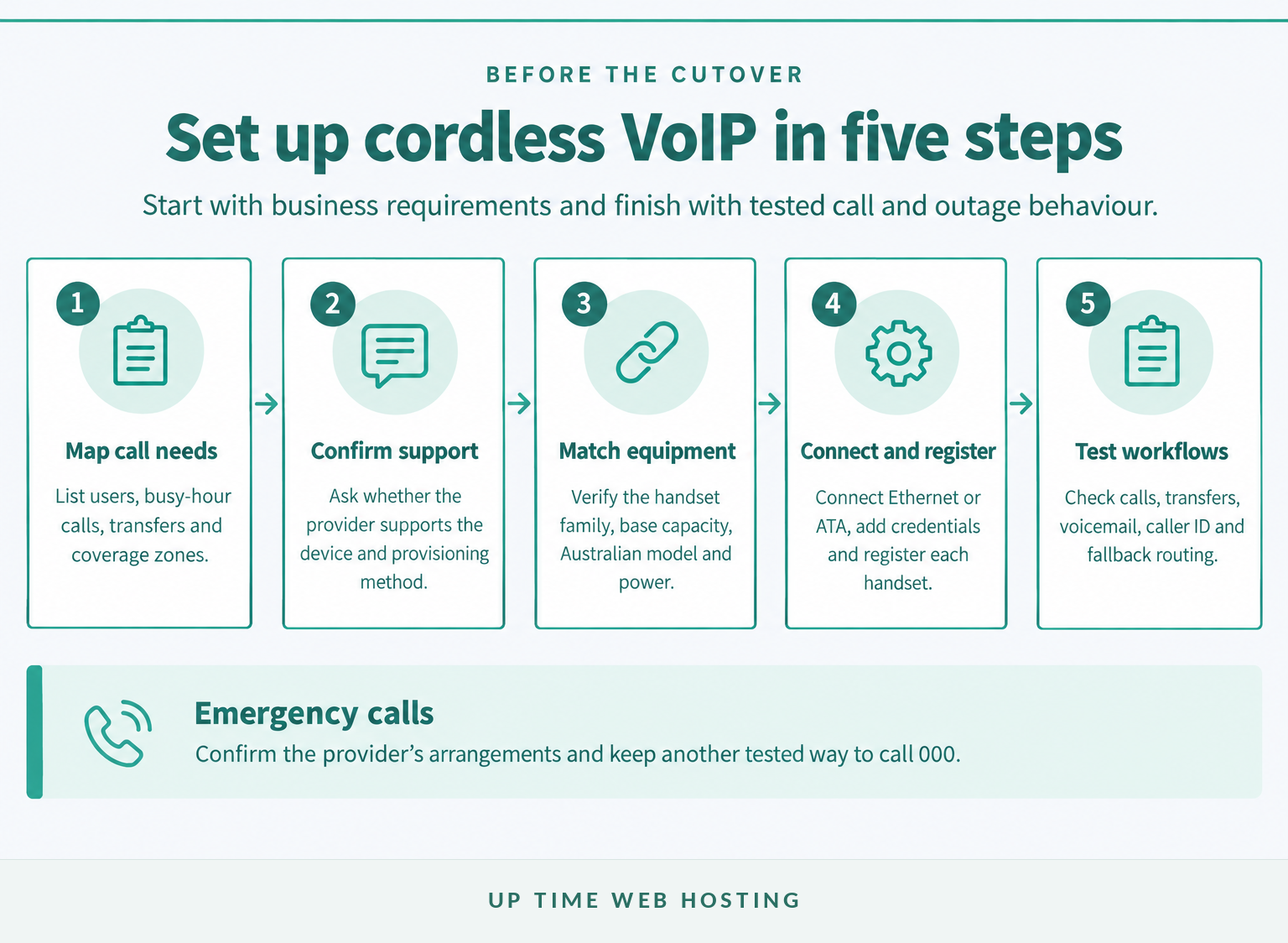
A native IP DECT base can connect to a router or network switch by Ethernet, but it still needs power and valid VoIP configuration. An analogue cordless phone cannot use an Ethernet socket directly and must connect to an FXS phone port on an ATA or compatible router.
A practical setup sequence is:
- Map the requirement. Record users, phone numbers, extensions, expected simultaneous calls, transfers and coverage areas.
- Confirm provider support. Obtain written confirmation for the exact base, firmware and provisioning method before purchasing equipment.
- Connect the correct device. Connect a native IP base to the LAN, or connect an ATA to the LAN and the analogue cordless base to its FXS phone port.
- Supply power and register devices. Use the approved power pack or Power over Ethernet where both the base and network switch support it, then register the SIP service and cordless handsets.
- Test real workflows. Check inbound and outbound calls, caller ID, hold, transfer, voicemail, busy handling, after-hours rules and outage diversion.
Do not place a call to Triple Zero merely to test the phone. Confirm emergency-call support with the provider, keep the registered service address current and maintain another tested way to call 000 if the VoIP service is unavailable. ACMA’s emergency-call guidance explains that only certain VoIP services support 000 and that location may need to be stated during a VoIP call. (acma.gov.au)
Connect the base to the right port, provision it correctly and test the business call flow before cutover.
How much range and call capacity does the business need?
Count the busiest calls that can happen at once, not just the number of people who may carry a handset. Plan coverage from the building layout because walls, floors, metal shelving and the base location can reduce usable cordless range.
Four different limits can affect the result:
- Registered handsets: The total number of handsets that can be paired with the base or system.
- Simultaneous calls: The number of external calls the base can carry at the same time.
- SIP accounts or extensions: The number of separate users or identities the system can register.
- Radio coverage: The physical area covered by one base, repeaters or a coordinated multi-cell system.
Six registered handsets do not automatically mean six simultaneous external calls. Estimate a busy period instead. Reception may be speaking to one customer while two staff make outbound calls and another incoming call reaches a queue, creating a requirement for four concurrent call paths.
Treat a quoted range as planning guidance, not a promise. Place the base centrally where possible and test the actual work areas, stairwells, stockrooms and outdoor zones before final installation.
If staff must walk between separated coverage areas during a live call, ask for coordinated multi-cell roaming and handover. Adding an unrelated second base may create another coverage island without preserving the call as the user moves.
Call-flow requirements also vary by industry. A small law office phone system, for example, may prioritise controlled transfers and private voicemail more heavily than a simple retail counter setup.
Buy for the busiest call period and the hardest coverage area, not just the number of handsets.
What are the disadvantages of using a VoIP phone?
VoIP cordless phones depend on working power, local networking, internet access and the provider platform. They also require correct configuration, firmware maintenance, suitable wireless coverage and a separate plan for emergency communication during outages.
As of November 2026, ACMA says cordless phones require power and most services connected to the nbn will not work during a power outage. nbn’s blackout guidance likewise states that equipment connected over the nbn network needs power, and each required device may need its own backup arrangement. (acma.gov.au)
A battery in the handset is not enough. The base, router, network switch, ATA and internet connection may each need power for calls to continue. A charged mobile phone with available network coverage remains a practical emergency fallback.
Call quality can also suffer when the local network or internet service is congested, unstable or poorly configured. Business deployments should test calls during normal busy periods rather than judging quality from one quiet test call.
The broader choice between internet-based calling and older phone infrastructure is covered in the guide to VoIP and traditional phone systems.
A cordless VoIP system needs a power, internet and emergency-calling fallback.
Register your new domain name at competitive market prices including free domain add-ons like privacy, DNS Hosting, Custom Nameservers and Forwarding.
Always the best price and no nasty renewal price hikes.
Register A Domain Name
What should you check before buying in Australia?
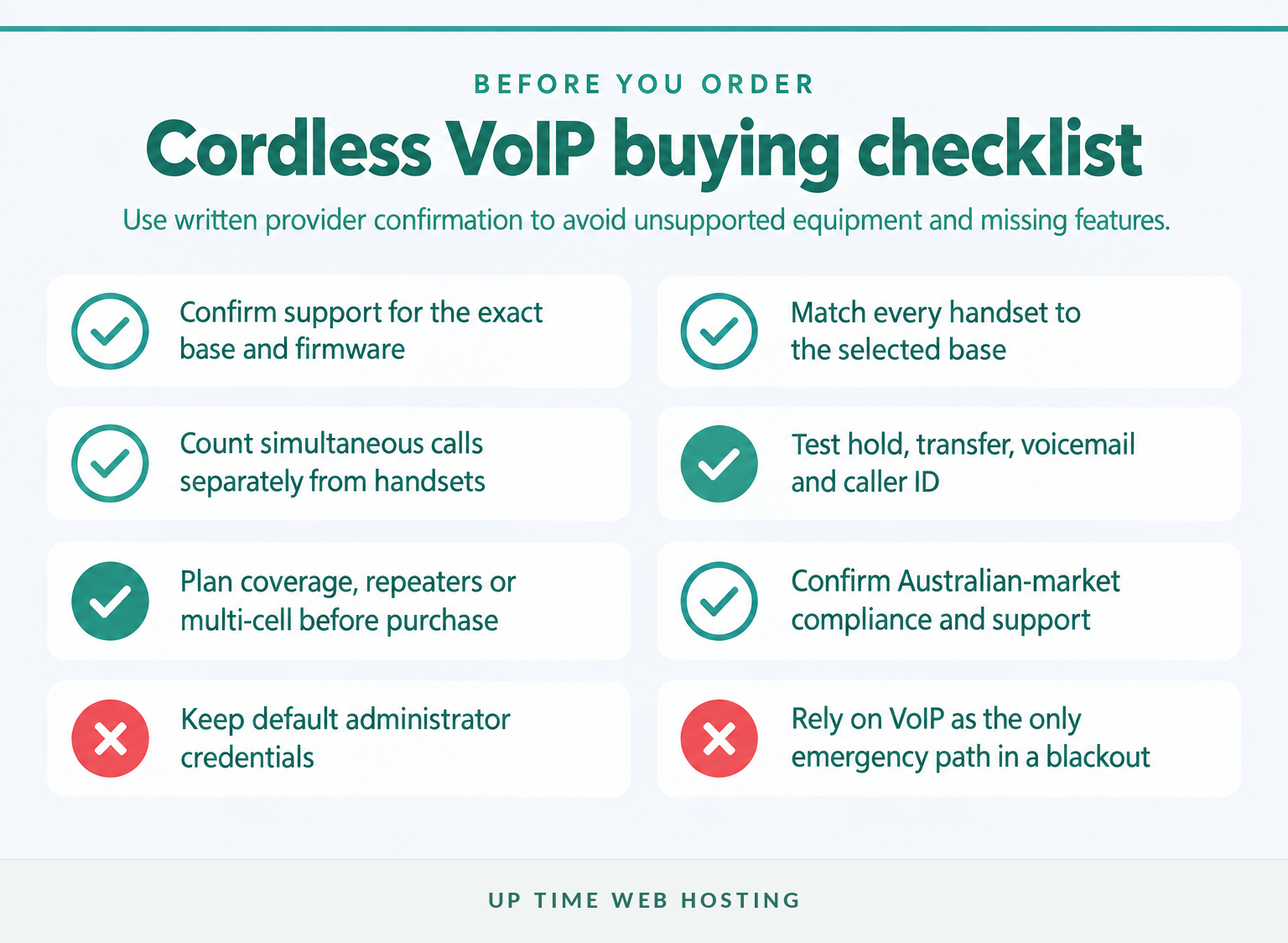
Get the provider to confirm the complete proposed configuration in writing before placing the order. The confirmation should name the base, handsets, adapter if required, provisioning method, supported functions and responsibility for future firmware or configuration support.
Use this shortlist:
- Confirm the provider supports the exact base model and firmware.
- Confirm whether the service uses automatic provisioning or manual SIP credentials.
- Match each handset to the selected base using an official compatibility list.
- Count registered handsets, separate extensions and simultaneous calls independently.
- Demonstrate hold, attended transfer, blind transfer, voicemail indication and caller ID.
- Plan base placement, repeaters or multi-cell coverage for the real premises.
- Check whether the base uses an approved power pack or supported Power over Ethernet.
- Buy Australian-market equipment and confirm compliance and local warranty support.
- Change default administrator credentials and confirm ongoing firmware availability.
- Document what happens during local power, internet, equipment and provider outages.
Compare the full installed cost rather than the handset shelf price alone. The base, ATA, power equipment, extra handsets, repeaters, network cabling, service licences, configuration and support can change the real cost of the setup.
Get written confirmation of the exact supported base and handset combination before ordering.
What else do buyers ask about VoIP cordless phones?
Most buyer questions come back to the connection path and the provider’s support policy. These answers apply to Australian households and small businesses comparing native IP DECT with analogue cordless equipment.
Which cordless phones are compatible with VoIP?
Compatible options are a native SIP/IP DECT system accepted by the VoIP provider, or a standard analogue cordless phone connected to a compatible ATA or router phone port. The base station, handset family, provider provisioning method and required features must all match; “DECT” or “SIP” on the box is not enough.
Can I use any cordless phone for VoIP?
No. An analogue cordless phone needs an FXS phone port supplied by an ATA or compatible router, while a native IP cordless system needs SIP registration and provider support. A handset may also pair only with certain bases, and basic GAP pairing does not guarantee every directory, transfer or voicemail feature.
What are the disadvantages of using a VoIP phone?
VoIP cordless phones depend on working power, local networking, internet access and the provider platform. They also need correct provisioning, firmware maintenance and wireless coverage. During a blackout, most nbn-connected phone services will not work without suitable backup, so keep another tested way to call Triple Zero.
Can I just plug a VoIP phone into my router?
A native IP DECT base can usually connect to a router or network switch by Ethernet, but it still needs power and valid VoIP configuration. An analogue cordless phone cannot use an Ethernet socket directly; its phone lead must connect to an FXS phone port on an ATA or compatible router.
The safest answer to most compatibility questions is to confirm the entire setup with the provider.
Experience Microsoft 365 Business Standard for free for 30 days.
Up to 25 users with full access to email, OneDrive and Teams. Includes full versions of desktop apps of Outlook, Word, Excel, PowerPoint and more.
Try Microsoft 365
What should you do next?
Write down the users, busiest simultaneous calls, transfer needs, coverage zones and any analogue handsets worth keeping. Then ask UpTime about a compatible VoIP setup and request written confirmation of the exact base, handsets, adapters and provisioning method before buying.
UpTime’s VoIP page, checked in November 2026, says the service works with compatible SIP devices and includes caller menus, call queues and voicemail. The page reviewed for this guide does not list a cordless hardware compatibility matrix, so the final equipment choice still needs confirmation. (uptimewebhosting.com.au)
Do not buy the handset first; confirm the handset, base and service as one system.