In short
Choose a VoIP adapter with one FXS port for each analogue phone or legacy device that needs its own connection, plus SIP compatibility confirmed by the VoIP provider. For an Australian business, also check NBN operation, fax or alarm support, Triple Zero access, power-failure planning and whether an IP handset would be safer.
Key takeaways
- One FXS port is needed for each analogue device that requires its own physical connection and independent use.
- SIP compatibility on the box does not guarantee that a VoIP provider will support or provision the adapter.
- Most services connected through the NBN will not work during a power outage, so businesses need another tested way to reach Triple Zero. ACMA explains the limitation in its emergency-call guidance. (acma.gov.au)
- Fax machines, alarms, lift phones and monitored fire systems need device-specific compatibility checks rather than an assumption that a voice ATA will work. nbn lists these as devices requiring separate consideration. (nbnco.com.au)
- A dedicated IP handset is usually easier to manage when staff need shared lines, transfers, status keys, central provisioning or room to grow.
Contents
- Which VoIP adapter do you actually need?
- How does an analogue telephone adapter work?
- How do you connect an analogue phone to VoIP on the NBN?
- Will fax machines, alarms and other legacy devices work?
- What should you check for Triple Zero and power outages?
- When is a dedicated IP handset the better option?
- Which buying checks matter in Australia?
- What else do Australian buyers ask?
- What should you do next?
The useful buying question is not which adapter has the longest feature list. It is whether the adapter fits the VoIP provider, the retained devices, the network and the business's plan for an outage.
Which VoIP adapter do you actually need?
Start by counting the analogue devices that genuinely need to remain in service. Then confirm that the VoIP provider supports a bring-your-own SIP adapter before ordering hardware.
Match the port count to the devices
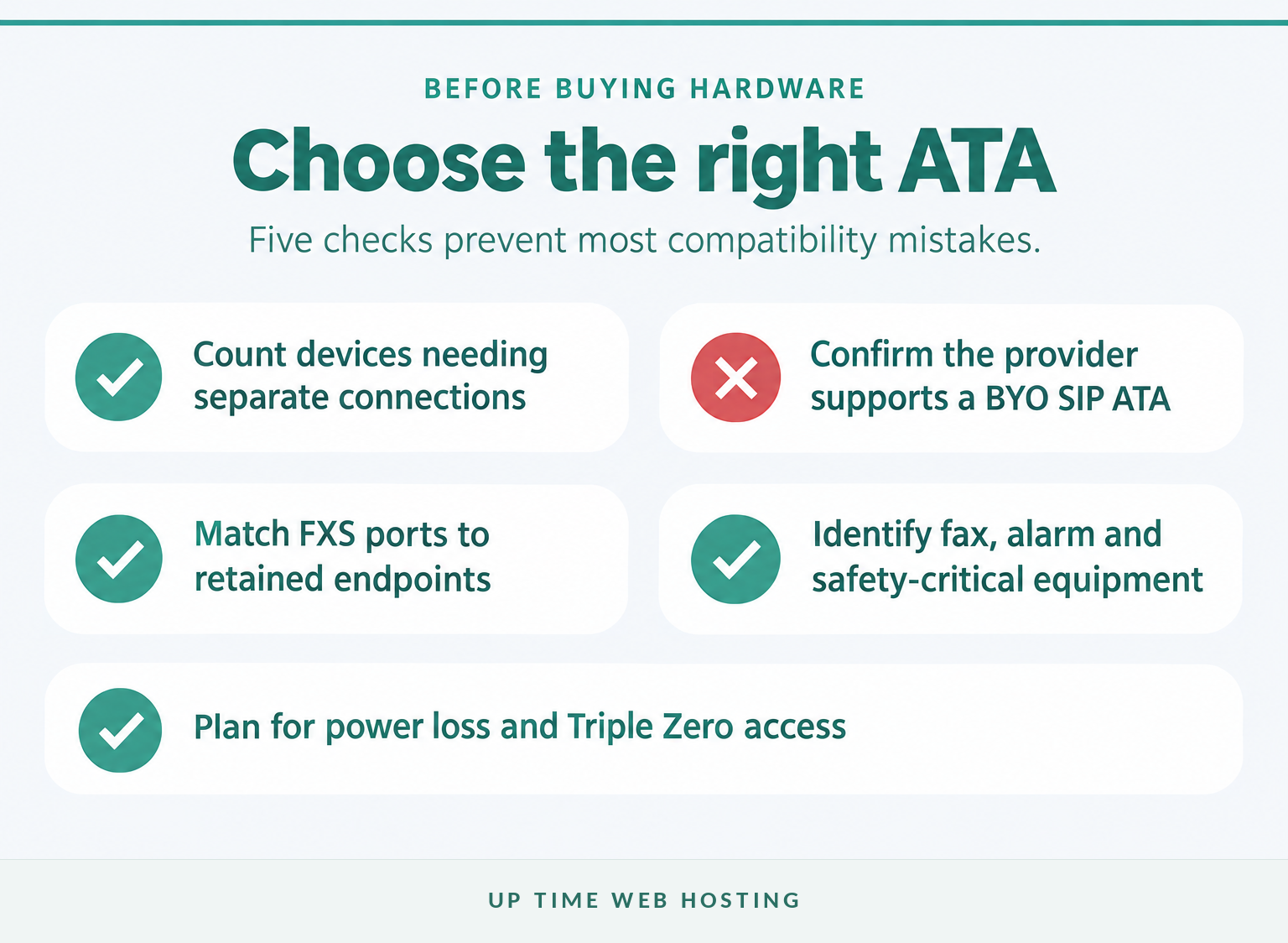
An FXS port is the adapter socket that supplies an analogue telephone interface to a handset, cordless-phone base or similar endpoint. An FXO port serves the opposite side of the connection and accepts an analogue line, so most businesses retaining ordinary phones need FXS ports rather than an FXO-only device. ITU-T's description of an FXS interface describes it as the subscriber-side interface towards telephones. (itu.int)
| Equipment to retain | Sensible starting point | Main check |
|---|---|---|
| One corded analogue phone | One FXS port | Provider SIP support and required call features |
| One cordless DECT base | One FXS port | The base and its handsets normally share one phone service |
| A phone and fax used independently | Two FXS ports | Fax support must be confirmed separately |
| Four or more desk phones | Multi-port gateway or IP handsets | Compare ongoing support and management complexity |
| An active analogue line as a fallback | Combined FXS and FXO hardware | Confirm that the analogue line still exists and is supported |
Do not count every cordless handset as a separate ATA connection when the handsets all register to one DECT base. Count the base as one analogue endpoint, although simultaneous-call capacity still depends on the base, adapter and service.
Do not assume that an ATA can simply be connected to an office wall socket to activate every old extension. ACMA says fixed communications cabling should be handled by a registered cabler, including connections from an NBN modem to existing voice cabling. (acma.gov.au)
The right ATA starts with the number and type of analogue devices, not the number of phones a seller says it can support.

Performance you can feel, backed by clients who depend on it. Read how our support and uptime create long‑term customer success.Power Your Business with Better Hosting
How does an analogue telephone adapter work?
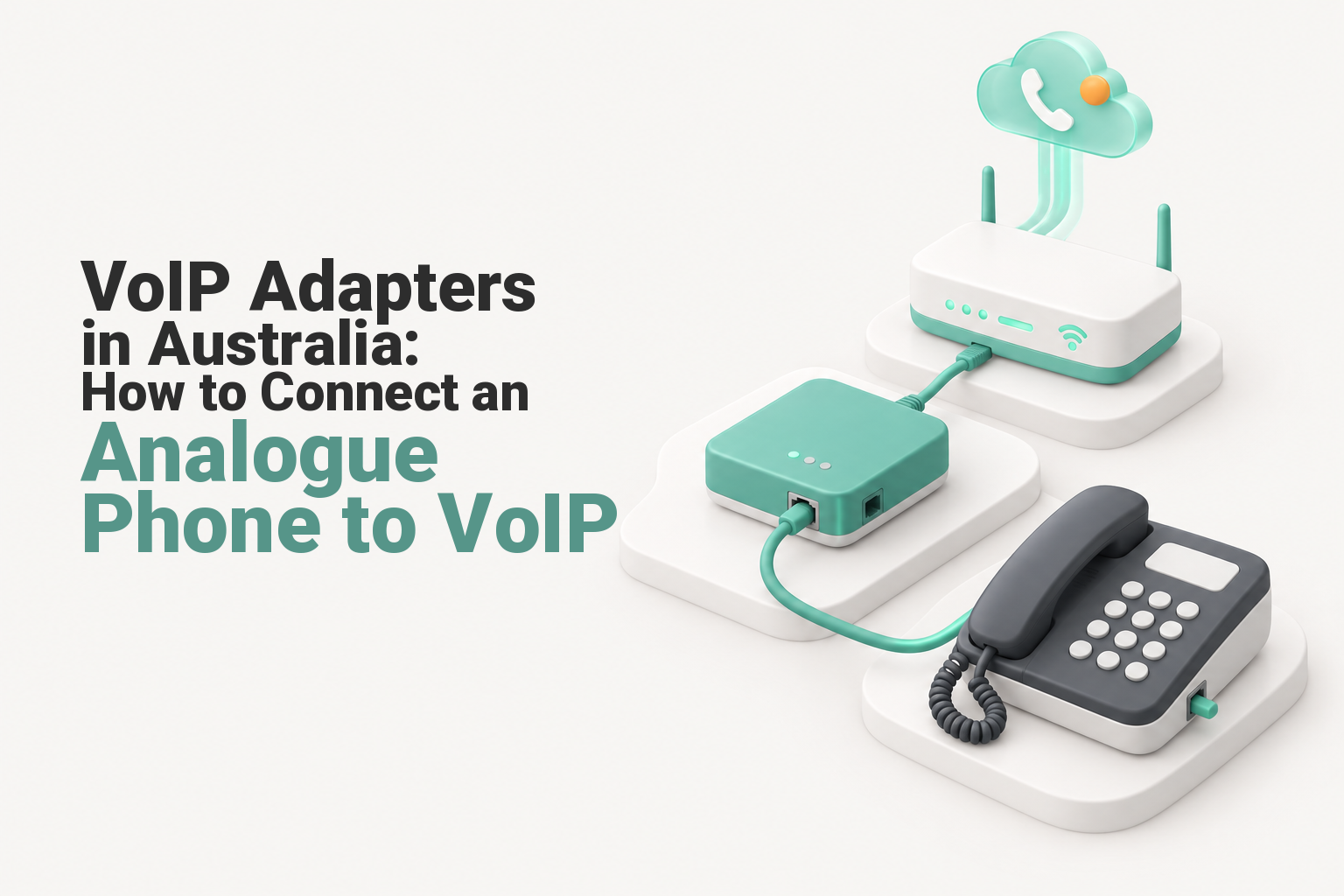
An analogue telephone adapter converts the signalling and voice used by a traditional phone into traffic that can travel through an IP network. The phone connects to an FXS socket, while the adapter connects to the router and registers with a supported VoIP service.
What sits inside the connection path?
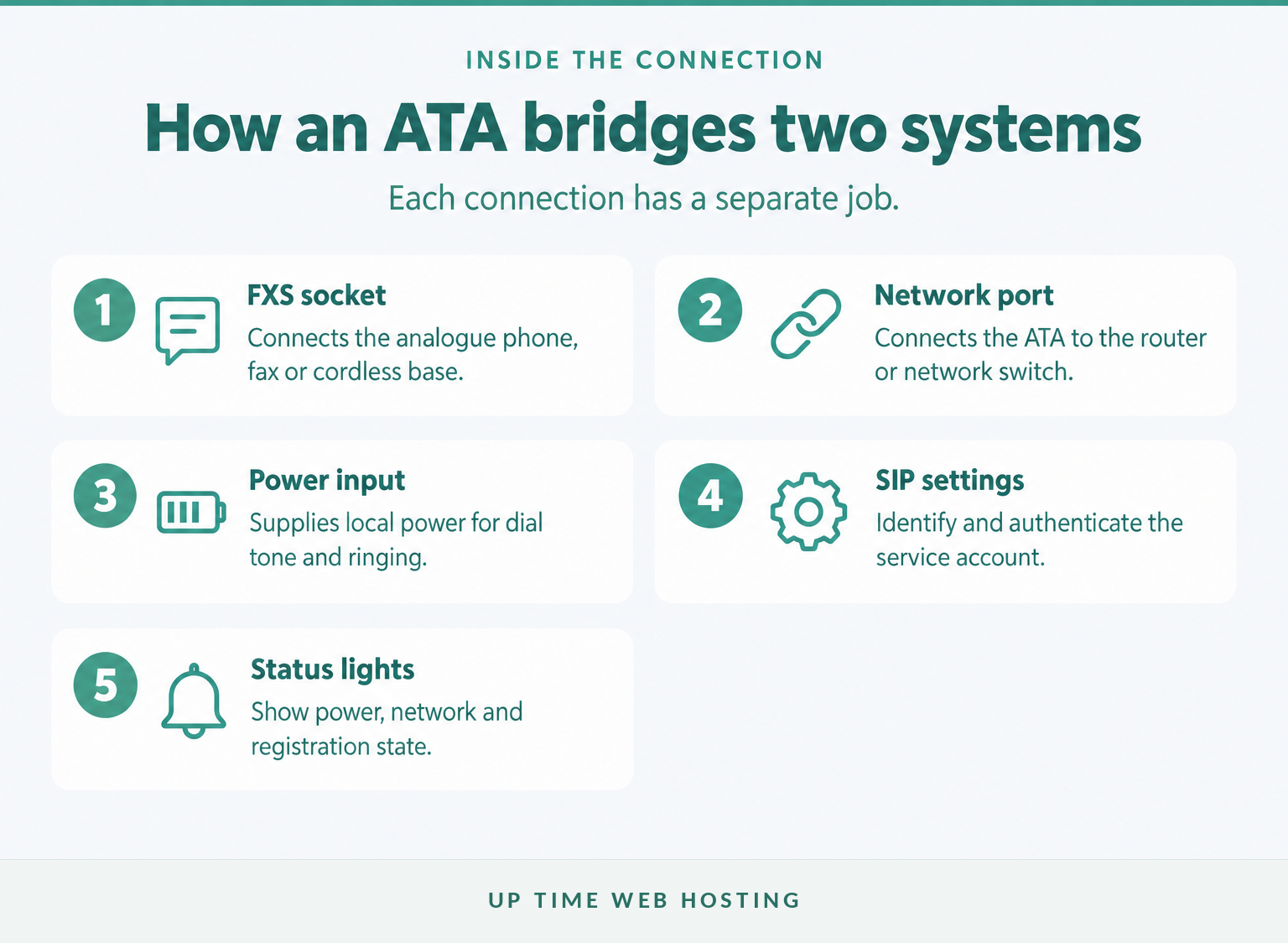
A typical call follows this path:
- The handset goes off-hook and receives dial tone from the ATA.
- The ATA reads the dialled digits and sends call signalling to the VoIP service.
- The provider applies number, routing and account rules.
- The conversation is converted between analogue audio and digital voice packets.
- The ATA supplies ringing and caller information to the analogue phone for incoming calls.
The IETF's SIP standard defines the signalling used to create, modify and end many internet telephone calls. A cloud PBX delivered over VoIP adds the business rules around that signalling, such as extensions, opening hours, queues, transfers and voicemail. (datatracker.ietf.org)
The adapter does not create a phone number or calling service by itself. It still needs power, network access and either SIP account details or remote provisioning from the provider.
An ATA is only the bridge between an analogue endpoint and a supported SIP service.
How do you connect an analogue phone to VoIP on the NBN?
Connect the ATA to a LAN port on the business router, then connect the analogue phone to the correct FXS socket. Complete the provider's SIP configuration before testing incoming calls, outgoing calls and the outage fallback.
Set it up in this order
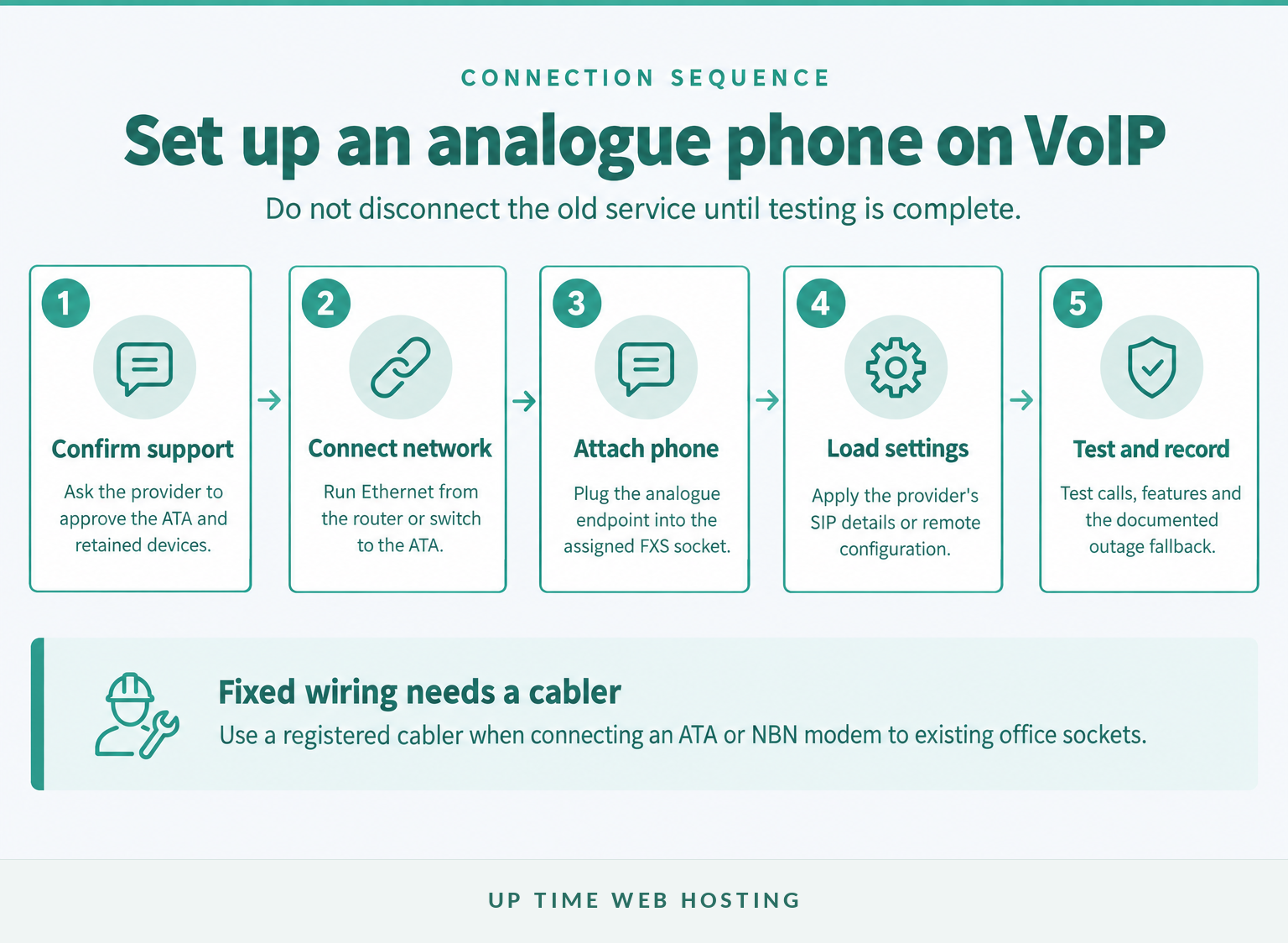
- Confirm provider support. Ask whether bring-your-own ATAs are accepted and whether settings are supplied manually or pushed remotely.
- Record the service details. Obtain the SIP username, authentication details, server address and any provider-specific instructions.
- Connect the network. Run an Ethernet cable from the router or network switch to the ATA's network port.
- Connect the phone. Plug the phone or cordless base directly into the assigned FXS socket.
- Apply the configuration. Enter the approved settings, change the administrator password and install provider-supported firmware where required.
- Test the service. Check incoming and outgoing calls, caller ID, voicemail indicators, transfers, keypad tones and the documented emergency-calling arrangement.
An ATA normally sits behind the NBN modem-router rather than connecting directly to the NBN access line. Some modem-routers already include an active phone socket, so check the nbn phone setup guidance and the provider's instructions before buying a separate device. (nbnco.com.au)
A plug-in phone lead is different from altering fixed building wiring. If existing office sockets must be reused, arrange a registered cabler rather than feeding the ATA into unknown or still-active cabling.
A wireless VoIP adapter uses Wi-Fi for the network side of the connection, but the analogue phone still connects to an FXS socket. Ethernet is usually the simpler choice for fixed business equipment because it removes Wi-Fi coverage and interference from the call path.
A reliable setup is provider-confirmed, directly connected and tested before the old service is cancelled.
Host your website with our 5-star rated, cPanel website hosting plans.
Super fast servers, with security included and hosted in your choice of Australian Data Center.
View cPanel Plans
Will fax machines, alarms and other legacy devices work?
An ordinary analogue voice handset is usually the simplest device to retain through an ATA. Fax machines, diallers, alarms and safety-critical equipment should instead be treated as separate migration projects with written compatibility advice and end-to-end testing.
Treat each legacy device differently
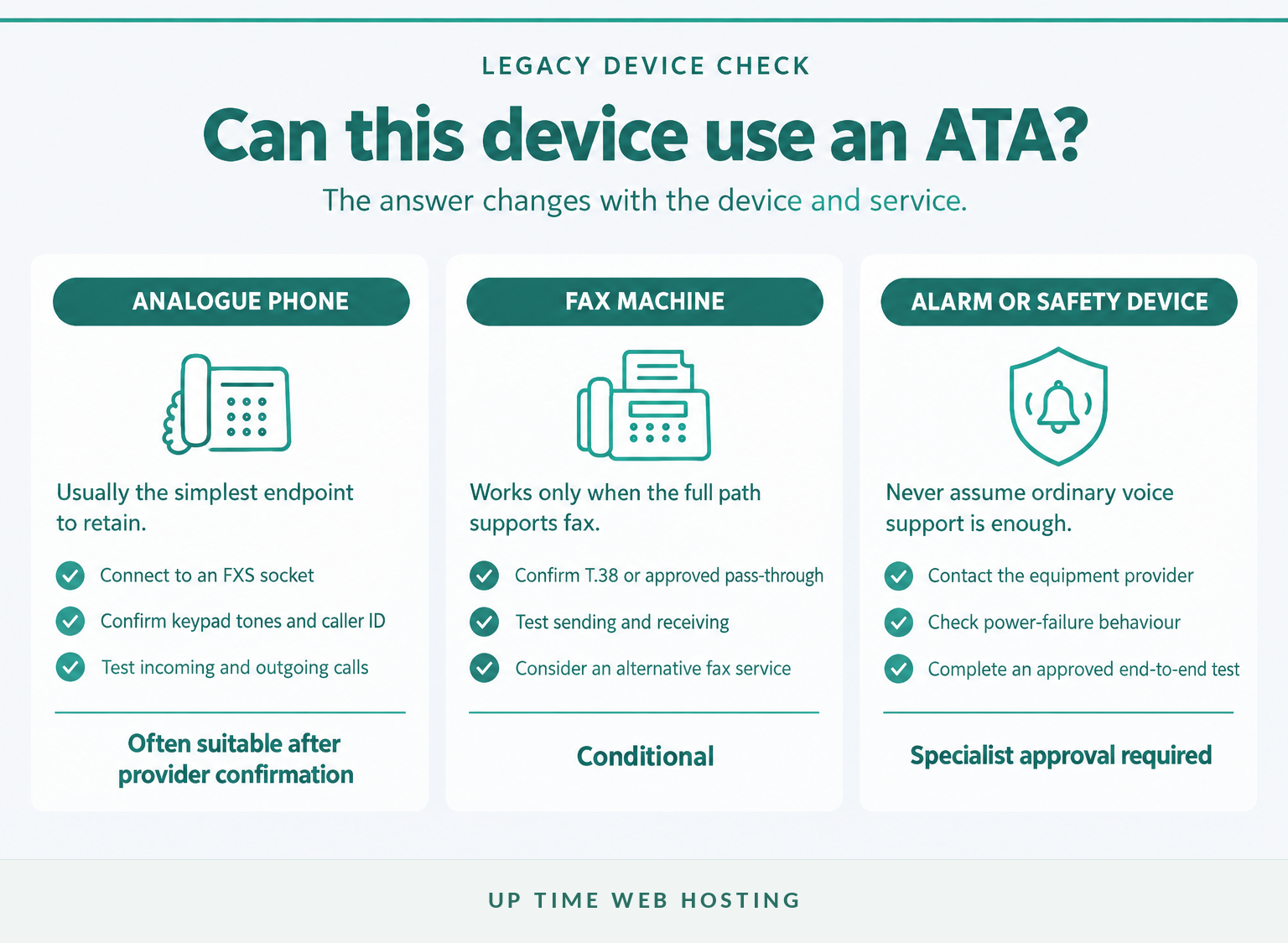
| Legacy device | Is an ordinary ATA a safe default? | Required action |
|---|---|---|
| Corded analogue phone | Often | Confirm FXS and provider support, then test calls |
| Cordless-phone base | Often | Check caller ID, keypad tones and call capacity |
| Fax machine | Conditional | Confirm T.38 or approved fax pass-through support |
| Security or medical alarm | No assumption | Ask the alarm provider for an approved migration method |
| Monitored fire alarm or lift phone | No | Use the specialist provider's approved connection and testing process |
| EFTPOS or health-claim terminal | No assumption | Confirm support with the terminal provider |
What should you check for a fax machine?
T.38 is a standard designed to carry Group 3 fax communication across an IP network. The ITU-T T.38 recommendation defines the protocol, but successful faxing still depends on support across the ATA, VoIP provider and call path. (itu.int)
The current nbn device compatibility guidance tells users to ask their phone company whether fax transmission is supported. After configuration, test sending and receiving rather than assuming that dial tone proves the fax service works. (nbnco.com.au)
What about alarms, lift phones and fire panels?
Older monitoring equipment may depend on analogue tones, line supervision or power supplied by the former phone network. A normal ATA can provide dial tone without reproducing every behaviour the monitoring device expects.
Contact the equipment provider before changing the phone service. The migration method should be approved, tested with the monitoring centre and checked under a simulated local power or network failure using the provider's own procedure.
A voice handset may be easy to retain, but fax and safety-critical devices need separate approval and testing.
What should you check for Triple Zero and power outages?
Treat emergency calling and power failure as separate design requirements. As of November 2026, ACMA says certain VoIP services can call Triple Zero, but most services connected through the NBN will not work during a power outage.
Build a fallback before disconnecting the old service
- Ask the VoIP provider whether the proposed service and ATA can access Triple Zero.
- Keep the service address and authorised account details current with the provider.
- Maintain a charged mobile phone where mobile coverage is available.
- Document how staff should call for help if the router, internet connection or VoIP platform is unavailable.
- Use a suitable uninterruptible power supply where continuity warrants it, but do not treat local battery backup as a guarantee that the upstream network remains available.
ACMA's emergency-call guidance says a caller using a mobile or VoIP service may be asked for the town and state because the caller may not be at the billing address. ACMA also says Triple Zero should only be called for a genuine emergency, so confirm service capability with the provider rather than placing a test call. (acma.gov.au)
Every VoIP rollout needs a charged mobile or another tested way to reach Triple Zero during a power or network failure.
When is a dedicated IP handset the better option?
Choose an ATA when one or two useful analogue handsets can be retained without complicating support. Choose a dedicated IP handset when users need business calling controls, central management, easier expansion or several simultaneous calls.
Compare the endpoint, not just the purchase price
| Requirement | ATA with analogue phone | Dedicated IP handset |
|---|---|---|
| Keep a familiar handset | Strong fit | Requires replacement |
| Basic calling | Strong fit | Strong fit |
| Transfer, hold and programmable keys | Depends on the old phone | Usually easier to access |
| Central provisioning | Adapter-dependent | Commonly designed for it |
| Multiple shared lines | Can become awkward | Usually clearer for staff |
| Fax or alarm support | Conditional and device-specific | Does not solve legacy-device compatibility |
| Adding more desks | More ports and power supplies | Usually simpler to standardise |
The wider VoIP versus traditional phone systems decision matters when the business is replacing more than a single handset. A virtual office phone system may also suit staff who need to answer the business number through desk phones, computers or mobile applications.
Front-desk and professional-service environments often need shared lines, fast transfers and clear outage procedures. The requirements can become more specific for a small law office phone system or a dental office phone system, where retaining one old handset should not dictate the design of the entire calling system.
Keep an analogue phone with an ATA only when preserving it is simpler than supporting a purpose-built IP handset.
Register your new domain name at competitive market prices including free domain add-ons like privacy, DNS Hosting, Custom Nameservers and Forwarding.
Always the best price and no nasty renewal price hikes.
Register A Domain Name
Which buying checks matter in Australia?
Buy for the provider and operating environment rather than for a generic feature list. A cheap imported adapter is poor value if it cannot be provisioned, lacks Australian compliance labelling or has no supported firmware path.
Use this buyer's checklist
- Provider approval: Confirm that the exact device type can register to the service.
- FXS port count: Allow one port for each independently connected analogue endpoint.
- SIP provisioning: Check whether credentials are supplied or whether remote provisioning is mandatory.
- Call features: Confirm caller ID, voicemail indication, transfer methods, keypad tones and local dial plans.
- Legacy-device support: Obtain separate advice for fax, alarms, EFTPOS, fire panels and lift phones.
- Network connection: Prefer Ethernet for fixed equipment unless Wi-Fi is specifically required and supported.
- Security maintenance: Look for current firmware, a changeable administrator password and a documented update process.
- Australian power supply: Check the supplied plug and electrical specifications rather than relying on an overseas adaptor.
- Support and replacement: Decide who will configure, monitor, reset and replace the ATA if it fails.
For telecommunications equipment supplied in Australia, look for the Regulatory Compliance Mark. ACMA says an overseas CE or FCC marking alone does not automatically show compliance with Australian supply requirements, and the RCM does not replace the need to confirm provider compatibility. (acma.gov.au)
The best VoIP adapter is therefore not the device with the most ports. It is the compliant device that the provider will support and that has been matched to every retained endpoint.
The safest Australian purchase is a compliant, supported ATA matched to the provider, ports and devices.
What else do Australian buyers ask?
These answers cover the related questions that often arise while choosing an adapter or moving a number. Provider terms still need to be checked before hardware is purchased or an existing service is cancelled.
What are the most affordable VoIP providers in Australia?
The most affordable provider depends on users, included calls, number charges, porting, hardware, support and GST, so there is no single cheapest choice for every business. Compare each provider's Critical Information Summaries and total first-year cost, then confirm that a bring-your-own ATA is supported before treating a low monthly price as comparable. (acma.gov.au)
How does an analog telephone adapter work?
An analogue telephone adapter connects an ordinary phone to an IP network. The phone plugs into an FXS socket, the adapter registers to a SIP service, and the adapter converts signalling and voice between the analogue handset and the VoIP network; it still depends on power, broadband and a configured provider account. (datatracker.ietf.org)
What is the best free VoIP app for personal use?
A free personal VoIP app may suit app-to-app calls or occasional use, but it is not a direct substitute for an ATA or business phone service. It may not provide an Australian number, number porting, business routing, reliable support or the emergency-calling arrangements required for a workplace.
Can I transfer my existing landline number to VoIP?
Yes, an active Australian local number can usually be transferred to a new VoIP provider if the new provider accepts the port. ACMA's number-porting guidance says individual local-number ports generally take 8 to 15 days, and disconnected numbers cannot be ported, so keep the existing service active until completion is confirmed. (acma.gov.au)
Provider terms and device compatibility decide the real answer to most ATA questions.
Experience Microsoft 365 Business Standard for free for 30 days.
Up to 25 users with full access to email, OneDrive and Teams. Includes full versions of desktop apps of Outlook, Word, Excel, PowerPoint and more.
Try Microsoft 365
What should you do next?
Choose the adapter only after the provider has confirmed the service and every retained device. If that confirmation cannot be obtained, replace the endpoint or choose a managed IP handset rather than relying on trial and error.
Prepare a list covering every phone, fax, alarm, wall socket and required simultaneous call, then ask Up Time Web Hosting to confirm whether an ATA or dedicated IP handset is the safer fit.